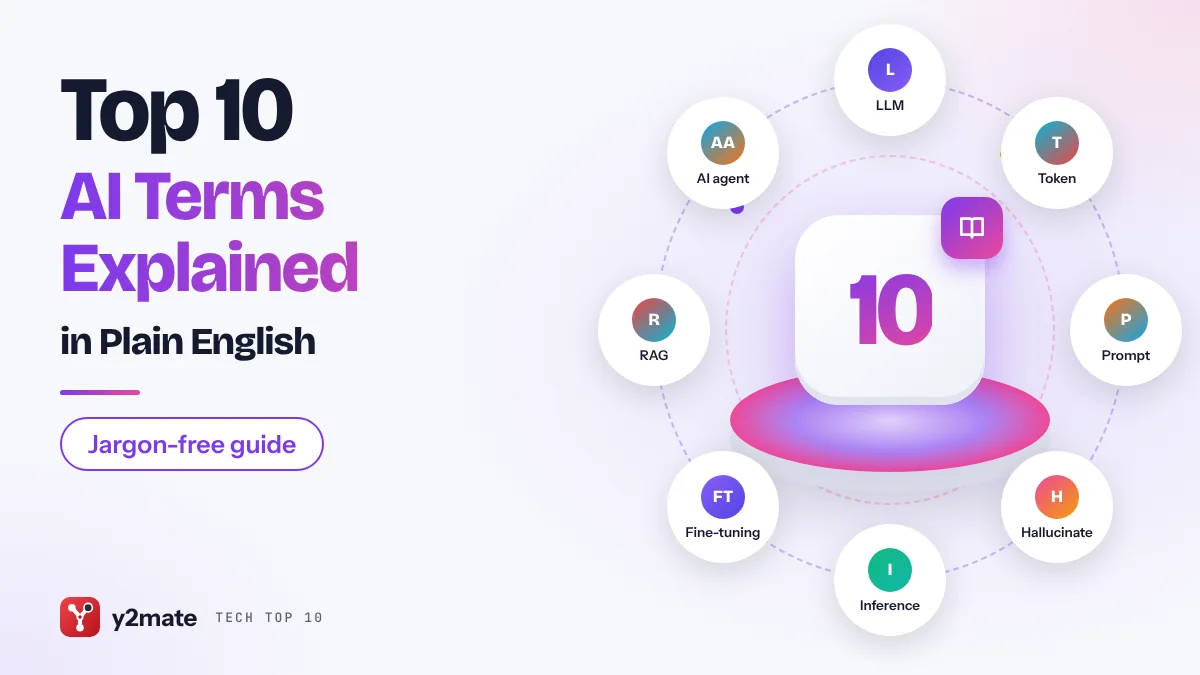
Every AI product launch now comes wrapped in jargon: tokens, context windows, agents, RAG. If you have ever nodded along without being sure what the words mean, this guide is for you. Here are the ten most useful AI terms explained in plain English, with no maths and no hype.
We cover the building blocks behind chatbots such as ChatGPT, Claude and Gemini, the reasons they sometimes get things wrong, and the newer ideas that explain where AI tools are heading, from agents that take actions to models that understand images and audio.
The list is written for everyday users, students, managers and anyone who wants to read AI news without a dictionary open in another tab. Each entry gives a one-line definition, where you actually run into the idea, and a short take on why it matters.
Related guide: How to write better AI prompts, a step-by-step walkthrough.

How we ranked this list
We ordered the terms by how often they come up when people use or read about modern AI tools, and by how much each one helps you understand the next. Foundational ideas such as large language models and tokens come first; terms that build on them, such as RAG and agents, follow.
Definitions are based on publicly available documentation from major AI developers and widely used educational material. We kept each explanation general so it stays accurate across different products, and we avoided product-specific numbers that change often.

The Top 10 AI Terms Explained
1. Large language model (LLM)
Best for: understanding what powers modern chatbots
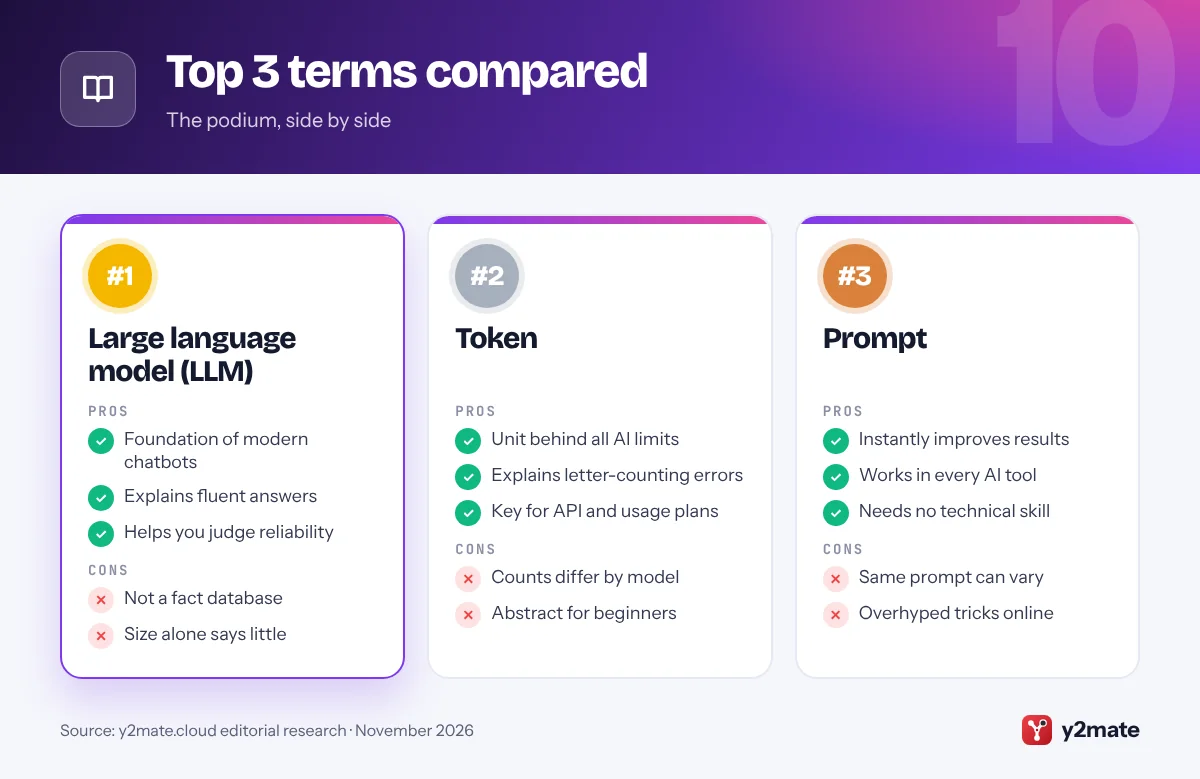
A large language model is an AI system trained on huge amounts of text so it can predict which words are likely to come next. That simple skill, repeated at scale, lets it answer questions, summarise documents, translate, draft emails and write code. ChatGPT, Claude, Gemini and Llama are all built on LLMs.
The word large refers to the number of internal settings, called parameters, that the model adjusts during training, and to the size of the training data. More parameters do not automatically mean a better model, but scale is a big part of why today’s systems sound so fluent.
The key thing to remember is that an LLM does not look facts up in a database by default. It generates text based on patterns it learned. That is why it can be brilliant at explaining a concept and still get a specific date or number wrong. Knowing this helps you decide when to trust an answer and when to double-check it.
Official site: Large language model (LLM)
- Explains almost every chatbot
- Clarifies why answers sound fluent
- Helps you judge reliability
- Parameter counts can mislead
- Often confused with search engines
2. Token
Best for: making sense of AI limits and usage plans
A token is the small chunk of text an AI model actually reads and writes. It is often a whole short word, but longer or unusual words get split into several pieces, and punctuation and spaces can count too. A rough rule of thumb for English is that a token is a bit shorter than an average word.
Tokens matter because almost everything in AI is measured in them. Message limits, how much text a model can consider at once, how fast it responds and how developers are billed through APIs are all expressed in tokens rather than words or pages.
Tokens also explain some odd behaviour. Models sometimes struggle to count letters in a word or reverse a string because they see tokens, not individual characters. Languages other than English can use more tokens for the same meaning, which is why the same paragraph may hit limits sooner in some languages.
Official site: Token
- Explains usage limits
- Demystifies odd spelling errors
- Useful for API users
- Counts differ between models
- Not intuitive at first
3. Prompt
Best for: getting better answers from any AI tool
A prompt is the input you give an AI model: a question, an instruction, a document to work on, or a mix of all three. With image generators it is the text description of the picture you want. Prompt engineering is simply the practice of writing these inputs well.
Good prompts share a few habits. They state the goal clearly, give relevant background, say who the audience is and describe the format you want back, such as a table, bullet list or a 100-word summary. Adding an example of the style you like often helps more than adding adjectives.
Many apps also use a hidden system prompt, written by the developer, that sets the assistant’s tone and rules before you type anything. That is why the same underlying model can feel different in different products. You do not need special tricks to prompt well; clear, specific writing gets you most of the way.
Official site: Prompt
- Directly improves results
- No technical skill needed
- Works across all AI tools
- Results still vary run to run
- Tips get overhyped online
4. Hallucination
Best for: knowing when to double-check AI output
A hallucination is when an AI model produces something that sounds confident and plausible but is false. Examples include invented quotes, fake book titles, made-up legal cases, wrong statistics or links to pages that do not exist. Image models can hallucinate too, adding details that were never requested.
It happens because a language model generates the most likely-sounding text rather than retrieving verified facts. When it lacks reliable information, it may still fill the gap with something that fits the pattern of a correct answer.
Developers reduce hallucinations with better training, by connecting models to search or documents, and by teaching models to say when they are unsure. None of these remove the problem completely. The practical rule is simple: verify names, numbers, citations and anything with legal, medical or financial consequences before you rely on it. Asking the tool for its sources, then opening them yourself, is one of the quickest checks.
Official site: Hallucination
- Builds healthy scepticism
- Explains confident errors
- Guides when to verify
- Cannot be fully eliminated
- Hard to spot without checking
5. Training vs inference
Best for: understanding how AI models learn and run
Training is the stage where a model learns. It is shown enormous amounts of data and repeatedly adjusts its internal parameters to get better at its task. For large models this takes specialised hardware, a lot of energy and a long time, and it happens before the public ever uses the model.
Inference is what happens every time you use the finished model: it takes your prompt and produces an answer using what it already learned. Inference is much cheaper per request than training, but because millions of people send requests, it adds up to a big share of the computing that AI companies run.
The distinction explains a common surprise. A model does not normally learn from your chat in real time; its knowledge comes from training, which has a cutoff date. Features like memory or web search are added on top, rather than the model retraining itself as you talk.
Official site: Training vs inference
- Explains knowledge cutoffs
- Clarifies data and privacy talk
- Useful for reading AI news
- Two terms to learn at once
- Product features blur the line
6. Fine-tuning
Best for: seeing how general models become specialists
Fine-tuning means taking a model that has already been trained and giving it extra, focused training on a smaller set of examples. The goal is to make it better at a particular task, style or domain, such as answering customer support questions in a company’s voice or classifying medical notes.
Most chat assistants you use have already been fine-tuned. After their initial training on general text, they are tuned on example conversations and human feedback so they follow instructions, stay on topic and refuse harmful requests. Businesses can also fine-tune some models on their own data through developer platforms.
Fine-tuning is not always the right tool. If you mainly want a model to know facts from your documents, retrieval (RAG, next on this list) is often simpler and easier to keep up to date. Fine-tuning shines when you need consistent behaviour, format or tone rather than fresh knowledge, and the two are often combined.
Official site: Fine-tuning
- Explains assistant behaviour
- Key for business AI
- Gives consistent style
- Needs quality example data
- Not ideal for changing facts
7. RAG (retrieval-augmented generation)
Best for: AI that answers from your own documents
Retrieval-augmented generation, usually shortened to RAG, is a technique where an AI system first looks up relevant information and then uses it to write its answer. The lookup might search a company wiki, a set of PDFs, a product database or the web. The retrieved passages are added to the prompt, so the model answers with that material in front of it.
RAG is behind many tools that let you chat with your files, internal help desks and AI search features that show sources. It lets a model use information that is newer than its training data, or private information it was never trained on, without retraining the model.
RAG reduces hallucinations but does not end them. If the search step pulls the wrong passage, or the documents themselves are outdated, the answer will be off. Tools that show which sources they used make it much easier to check the result.
Official site: RAG (retrieval-augmented generation)
- Uses up-to-date information
- Works with private documents
- Can cite its sources
- Only as good as the search
- Still needs answer checking
8. AI agent
Best for: understanding AI that takes actions
An AI agent is a system that does not just reply with text but works towards a goal by taking steps. It can plan, use tools such as a web browser, code runner, calendar or file system, check the results and decide what to do next, often over many steps with little input from you.
Examples include coding assistants that edit files and run tests, browser agents that fill in forms or compare products, and research tools that search several sources and write a report. Under the hood, an agent is usually an LLM placed in a loop with access to tools and permissions.
Agents are powerful but bring new risks. A mistake can turn into a wrong action rather than just a wrong sentence, and agents that read web pages can be tricked by malicious instructions hidden in that content. Good agent tools ask for confirmation before important actions and let you review what they did.
Official site: AI agent
- Automates multi-step tasks
- Uses real tools and apps
- Fast-growing area
- Errors become actions
- Needs careful permissions
9. Multimodal
Best for: AI that works with images, audio and video
A multimodal model can handle more than one type of input or output, such as text, images, audio and video. Instead of only reading typed words, it might describe a photo, read a chart, answer questions about a screenshot, listen to speech or generate pictures from a description.
You meet multimodal AI when you snap a picture of a plant and ask what it is, upload a receipt and ask for a summary, talk to a voice assistant that understands tone and interruptions, or ask a chatbot to create an image. Many of the leading assistants now combine several of these abilities in one app.
Multimodal does not mean perfect perception. Models can misread small text, miscount objects or misjudge spatial details in an image, and generated images can contain odd errors. It is still worth checking important details, especially when the input is a document or chart you plan to act on.
Official site: Multimodal
- More natural to use
- Handles photos and voice
- Opens new use cases
- Can misread fine details
- Abilities vary by app
10. Context window
Best for: knowing how much an AI can take in at once
The context window is the amount of text, measured in tokens, that a model can consider at one time. It includes your current message, earlier parts of the conversation, any files you upload, the hidden system prompt and the answer being written. Think of it as the model’s working memory for a single session.
A bigger context window lets you paste in long reports, large codebases or whole books and ask questions about them. When a conversation exceeds the window, older content gets dropped or summarised, which is why a very long chat can lose track of details you mentioned at the start.
Larger is not automatically better. Models can pay less attention to information buried in the middle of very long inputs, and long contexts take more computing time. For big document collections, RAG is often used alongside a large context window rather than replacing it. Starting a fresh chat for a new task also helps keep things focused.
Official site: Context window
- Explains forgetful long chats
- Guides how much to paste
- Key spec when comparing models
- Bigger can be slower
- Detail can get lost mid-text
Where each term shows up

AI terms explained: how to use them in real life
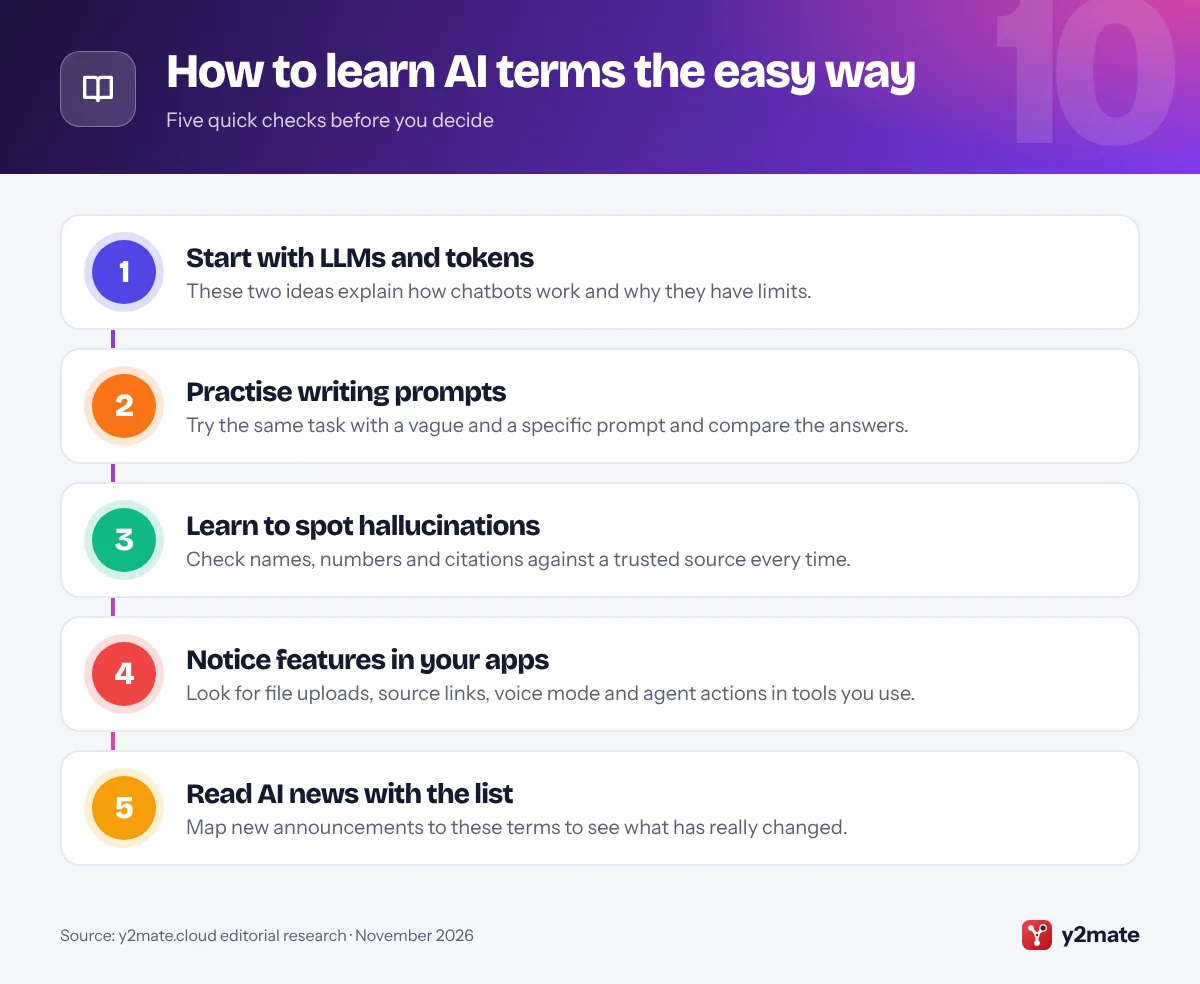
Knowing the vocabulary is most useful when it changes how you pick and use AI tools. Here is how to put these terms to work.
When choosing an AI tool
- Check the context window if you work with long reports, contracts or codebases. A tool that can take in more at once will need less copying and pasting.
- Look for retrieval and citations if accuracy matters. Tools that use RAG and show their sources make it far easier to verify answers.
- Consider multimodal features if you want to work with photos, screenshots, voice or charts rather than typing everything.
- Be careful with agents. Prefer tools that ask before sending, buying, deleting or editing anything important.
When using AI every day
Write prompts the way you would brief a capable colleague: the goal, the background, the audience and the format you want. Treat every answer as a draft, and verify facts, figures and quotes, because hallucinations can appear in any model.
When reading AI news
Use the list as a decoder. A new model with a larger context window can read more at once. A launch that mentions agents means the AI can take actions, not just write text. Claims about cheaper or faster responses are usually about inference, while big announcements about new models often involve fresh training. Once you know the terms, it becomes much easier to separate real progress from marketing language.
Frequently asked questions
What is the difference between AI and an LLM?
AI is the broad field of building systems that perform tasks associated with human intelligence, from recognising images to playing chess. A large language model is one specific type of AI, trained on text to predict and generate language. Chatbots like ChatGPT, Claude and Gemini are built on LLMs, but many AI systems, such as photo recognition or recommendation engines, are not language models.
Why does AI make things up?
Language models generate the most likely-sounding text based on patterns learned during training, rather than looking facts up in a verified database. When they lack reliable information, they can still produce a fluent answer that happens to be false. This is called a hallucination. Tools that search the web or your documents reduce the problem, but you should still check important facts.
How many words is a token?
It depends on the model and the language. In English, a token is often a short word or part of a longer word, so a typical sentence uses somewhat more tokens than words. Punctuation and spaces can count as well. Other languages can need more tokens for the same meaning. Each AI provider uses its own tokenizer, so exact counts differ between models.
Does ChatGPT learn from my conversations?
A model does not retrain itself live during your chat; its core knowledge comes from training completed before release. Some services may use conversations to improve future models depending on your settings, and some offer memory features that store details you share. Check the privacy and data controls in the app you use to see what is saved and whether you can opt out.
What is the difference between RAG and fine-tuning?
RAG gives a model relevant information at the moment you ask a question by searching documents or the web and adding the results to the prompt. Fine-tuning changes the model itself through extra training on example data. RAG is usually better for facts that change or private documents, while fine-tuning is better for teaching a consistent style, format or specialised behaviour.
Final verdict
You do not need a computer science degree to follow AI. With these ten terms, from large language models and tokens to agents and context windows, you can understand how today’s tools work, why they sometimes fail and what new announcements actually mean.
If you only remember three, make them LLM, prompt and hallucination: know what the system is, ask it clearly and check what it tells you. That habit will serve you well whichever AI tool you choose.
Sources and further reading
- NIST AI Risk Management Framework: NIST's voluntary framework that helps organizations identify and manage the risks of building and using AI systems.
- Claude docs glossary: Anthropic's plain-language glossary of common AI terms such as LLM, tokens, RAG, fine-tuning and context window.
- how to reduce hallucinations: Anthropic's official tips for lowering the chance that an AI model makes up facts in its answers.
- what is AI inference: Google Cloud's explainer on how a trained AI model is put to work to answer new requests, and how that differs from training.

Leave a Reply