
AI chatbots such as ChatGPT, Claude and Gemini can draft emails, explain tricky topics, plan trips and summarise long documents. But the answer you get depends heavily on what you type. A vague one-line request usually produces a generic reply. If you want to write better AI prompts, the good news is that it is a learnable habit, not a secret trick.
This guide walks you through a simple seven-step method: decide what you want, give the assistant context, spell out the task and format, show an example, refine the result, check it, and keep private information out of the chat. Each step includes a short before-and-after example you can copy.
It is written for complete beginners and everyday users. The same techniques work in all three major assistants, because they all respond to clear, specific instructions in plain language. You do not need any coding knowledge or a paid plan to follow along.
Level: Beginner · Time needed: 20 minutes
Related list: Top 10 AI Coding Assistants for Developers in 2026
Related list: Top 10 AI Terms Explained in Plain English
What you need
- An account with ChatGPT, Claude or Gemini (the free versions are fine for practising)
- A real task you want help with, such as an email, a summary or a plan
- Any background material you are happy to share, like notes or a non-sensitive document
- A few minutes to try two or three versions of the same prompt
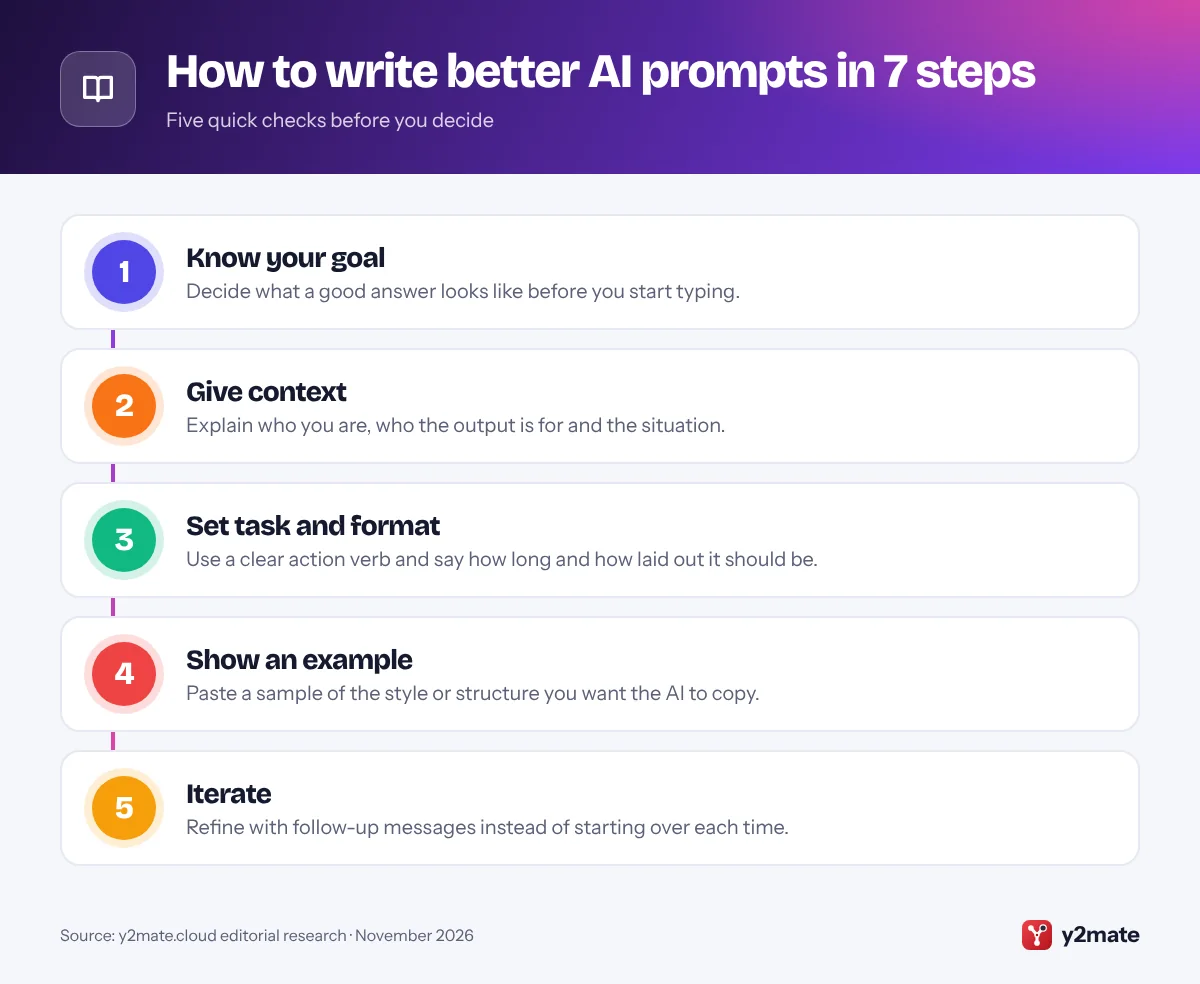
Step 1: Decide what a good answer looks like
Most weak prompts are weak because the person typing them has not decided what they actually want. Before you open the chat window, take ten seconds to answer three questions for yourself:
- What is the end product? An email, a list of ideas, a summary, a decision, a step-by-step plan?
- Who will use it? You, your manager, a customer, a ten-year-old?
- How will you judge it? Short enough to read on a phone? Polite but firm? Covering three specific options?
Compare these two requests. “Help me with my landlord.” versus “I need a short, polite email asking my landlord to fix a broken heater within a week.” The second one already tells the assistant the output (an email), the tone (polite), the length (short) and the outcome (repair within a week).
You do not need to write a long essay. One clear sentence describing the finished result is often enough to transform the answer. Everything in the following steps builds on this goal, so it is worth getting right first.
Step 2: Give the AI the context it cannot guess
An AI assistant knows a lot in general but nothing about your specific situation unless you tell it. Context is the single biggest upgrade most people can make, and it is the core of learning to write better AI prompts.
Useful context usually covers:
- Who you are: “I am a small bakery owner” or “I am a first-year nursing student.”
- The audience: “This is for customers who are not technical.”
- The background: “We already tried a discount and it did not work.”
- Constraints: budget limits, deadlines, word counts, things to avoid.
You can also ask the assistant to take on a role, for example “Act as an experienced travel planner.” A role is helpful, but it is not a substitute for real details about your situation.
If you have source material, such as meeting notes or an article, paste it in or attach it and say what it is: “Below are my notes from today’s meeting.” Clearly separating your instructions from the pasted material, for example with a line saying “Notes start here”, helps the assistant understand which part is which.
Step 3: Specify the task and the output format
Start the core instruction with a clear action verb: summarise, rewrite, compare, list, explain, draft, translate, critique. “Tell me about electric cars” is open-ended. “Compare the running costs and charging options of electric and petrol cars for someone who drives mostly in a city” is a task.
Then say exactly how you want the answer laid out. Format instructions are easy to add and make a big difference:
- Length: “in under 150 words” or “in three short paragraphs.”
- Structure: “as a bulleted list”, “as a table with columns for pros and cons”, “as numbered steps.”
- Tone: “friendly and casual”, “formal”, “plain English with no jargon.”
- Reading level: “explain it as if to a 12-year-old.”
A complete prompt might read: “Summarise the article below in five bullet points for a busy manager. Keep each bullet under 20 words and end with one recommended action.”
If a task has several parts, number them in your prompt. Assistants tend to follow numbered instructions more reliably than a long paragraph where requests are buried in the middle.
Step 4: Show an example of what you want
Describing a style in words is hard. Showing it is easy. If you want the assistant to match a particular tone, structure or layout, paste a short example and say what to copy from it.
For instance: “Here is a product description I like. Write descriptions for the three products below in the same style: one short punchy sentence, then three bullet points of features.” Then paste the example and the product details.
Examples work well for:
- Social media posts that need to sound like your brand
- Data you want turned into a consistent format, such as names and dates in a table
- Writing in your own voice, using a past email or post you wrote yourself
- Classifying items, such as sorting customer comments into “complaint”, “question” or “praise”
One or two good examples are usually enough. Say whether the assistant should copy the style only or the content as well, otherwise it may borrow phrases you did not want repeated. Make sure the examples are ones you are allowed to share, and remove any personal details before pasting them in.

Step 5: Iterate with follow-up messages
Your first prompt rarely produces a perfect answer, and that is normal. Treat the chat as a conversation. Instead of starting from scratch, tell the assistant what to change:
- “Make it shorter and less formal.”
- “Keep the first paragraph, but rewrite the ending to include a deadline.”
- “Option 2 is closest. Give me three more variations of that one.”
- “You assumed I have a car. I do not. Redo the plan using public transport.”
Specific feedback works better than “try again” or “make it better”. Point to the exact part you want changed and explain why.
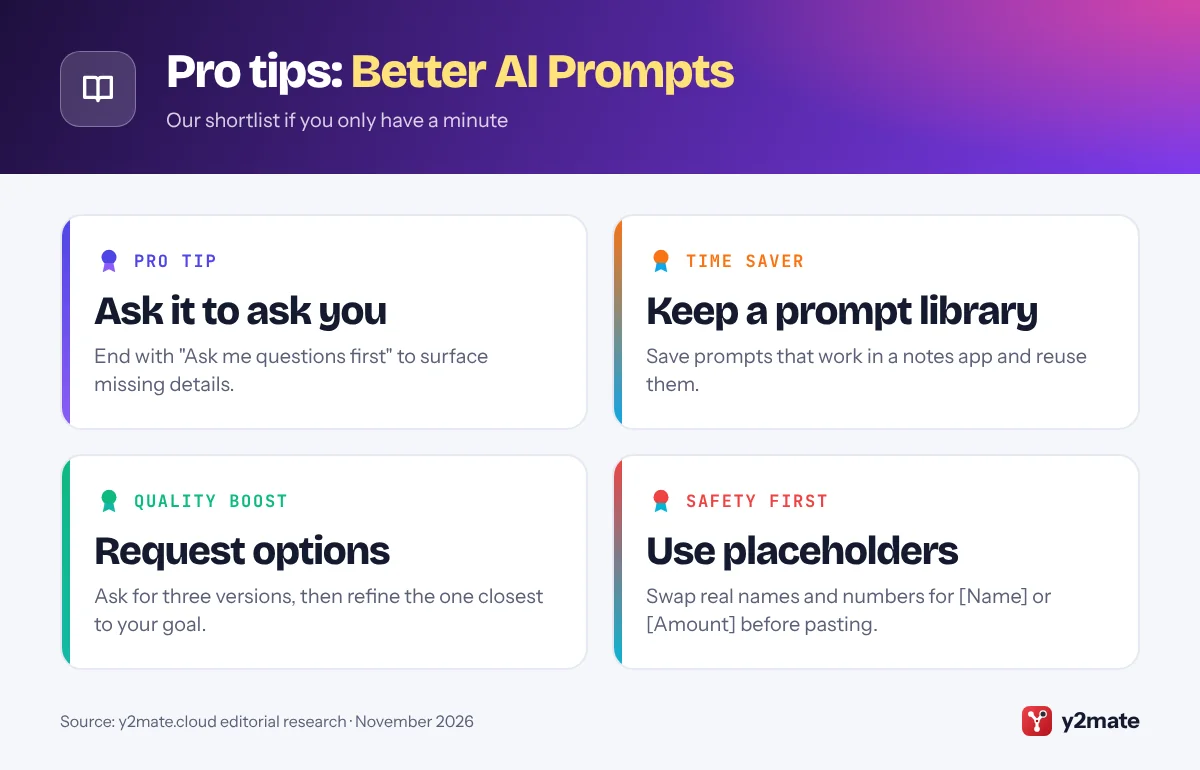
You can also ask the assistant to help improve your prompt: “Before you answer, ask me any questions you need to do this well.” This often surfaces details you forgot to mention.
If a conversation drifts off track after many turns, it can help to start a fresh chat and paste in an improved version of your original prompt that includes everything you learned. When you find a prompt that works, save it in a notes app so you can reuse it next time.
Step 6: Verify the output before you use it
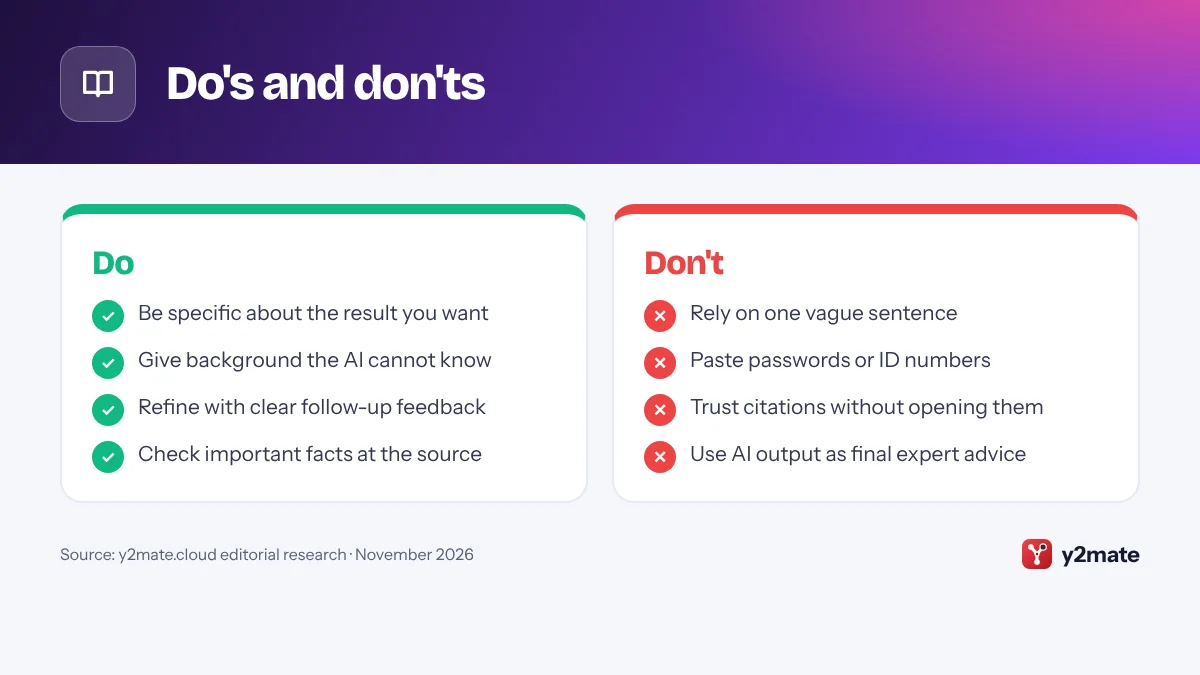
AI assistants can sound confident while being wrong. They sometimes invent facts, misremember dates, get calculations wrong or cite sources that do not exist. Good prompting reduces these mistakes but does not remove them, so checking the answer is part of the process.
A practical checklist:
- Check facts that matter against an official or trusted source, especially for health, money, legal or safety topics.
- Open any links or references the assistant gives you and confirm they say what it claims.
- Recalculate important numbers yourself or with a calculator.
- Read the whole thing before sending it, to catch odd phrasing or details that do not apply to you.
You can ask the assistant to help here too. Prompts such as “List any claims in your answer that I should double-check” or “Which parts of this are you least certain about?” can highlight weak spots. Some assistants can also search the web and show sources, but you should still open and read those sources yourself.
For professional advice, treat AI output as a first draft or starting point, not a final answer.
Step 7: Protect private and sensitive data
Anything you type into a chatbot is sent to the company that runs it. Depending on your settings and plan, conversations may be stored and, in some cases, used to improve future models. A simple rule keeps you safe: do not paste anything you would not be comfortable sharing with a stranger at that company.
Leave these out of your prompts:
- Passwords, PINs, one-time codes and recovery phrases
- Bank card numbers, ID and passport numbers, tax or social security numbers
- Other people’s personal details, such as a client’s address or a patient’s health information
- Confidential work documents, unless your employer has approved the tool
Instead, replace real details with placeholders like “[Client name]” or “[Amount]” and fill them in afterwards.
Each assistant also has privacy controls. In ChatGPT, look under Settings > Data controls. In Claude, look under Settings > Privacy. For Gemini, activity settings are managed through your Google Account’s activity controls. Exact names and options change over time and differ between free, paid, work and school accounts, so review the current settings in each app and the provider’s privacy page.
Bonus: Save instructions to write better AI prompts faster
Once you know how you like answers written, you do not have to repeat the same context in every chat. All three major assistants offer ways to save standing instructions, although names and availability vary by plan and change over time.
- ChatGPT: custom instructions, found under Settings > Personalization, let you describe yourself and how you want replies formatted for new chats.
- Claude: Projects let you group chats with shared instructions and reference files, and your profile settings can hold general preferences.
- Gemini: Gems are custom versions of Gemini that keep a set of instructions you write once and reuse.
Keep saved instructions short and focused on stable preferences, such as “Use British English and keep answers under 200 words unless I ask for more.” Put task-specific details in the prompt itself. If answers start to feel off, review your saved instructions, as an old preference may be quietly shaping every reply.
Do's and don'ts
Key terms

Troubleshooting
The answer is too generic
Add more context about your situation and audience, and state a specific goal. Ask for concrete examples or say “avoid general advice; focus on my situation.”
The answer is far too long
Set a hard limit such as “in under 100 words” or “in five bullet points”. If it still runs long, reply with “Cut this in half without losing the key points.”
The AI ignores part of my instructions
Break your request into a numbered list so each requirement stands out. In a long conversation, start a fresh chat with an improved prompt, as earlier messages can pull the answer off course.
The facts or sources look wrong
Ask the assistant to flag anything it is unsure about, then check the key points against official or trusted websites. Do not use a citation you have not opened and read yourself.
Frequently asked questions
Do I need different prompts for ChatGPT, Claude and Gemini?
Mostly no. All three respond well to clear goals, useful context, a defined format and examples. Each model has its own style, so the same prompt can produce slightly different answers. If one assistant misses the mark, try rephrasing or adding detail rather than assuming you need a completely different technique for each tool.
How long should a good prompt be?
As long as it needs to be, and no longer. A simple question can be one sentence. A complex task, such as rewriting a report for a specific audience, may need a short paragraph of context, a list of requirements and an example. Focus on including every detail the AI cannot guess, rather than aiming for a particular word count.
Should I be polite to an AI assistant?
Politeness is a personal choice and does no harm. What matters more is clarity. A courteous but vague prompt will still get a vague answer, while a direct, specific prompt will usually get a useful one. Writing the way you would brief a helpful colleague tends to produce both a friendly tone and clear instructions.
Can I trust what an AI chatbot tells me?
Treat it as a helpful starting point, not a final authority. AI assistants can make mistakes, invent sources or rely on out-of-date information. For anything important, such as health, legal, financial or safety questions, verify the answer with official sources or a qualified professional before acting on it.
Is it safe to paste work documents into an AI chatbot?
Only if your employer allows it and the document contains nothing confidential. Many companies have rules about which AI tools staff may use and what data can be shared. When in doubt, remove names, numbers and other sensitive details first, or ask your IT or security team which tools are approved.
Wrapping up
You do not need special tricks to write better AI prompts. Decide what you want, give the assistant the context it cannot guess, spell out the task and format, show an example when style matters, and refine the answer with specific feedback. Then check the facts and keep private information out of the chat.
Try the method on one real task today, such as an email or a summary you have been putting off. Save the prompt that works best, and you will have the start of a personal prompt library that makes ChatGPT, Claude and Gemini more useful every time you open them.
Sources and further reading
- Anthropic prompt engineering overview: Anthropic's official starting point for writing clear, effective prompts for Claude.
- Claude prompting best practices: Anthropic's detailed tips on being explicit, giving context and using examples to get better answers from Claude.
- Google's prompt engineering guide: Google Cloud's guide to prompt engineering, with prompt types and tips that also apply to Gemini.
- how to reduce hallucinations: Anthropic's prompting techniques for cutting down made-up facts, such as allowing the model to say it does not know.

Leave a Reply