

If you hold any digital assets, learning how to keep your crypto safe matters more than picking the next coin. Crypto transactions generally cannot be reversed, and there is usually no bank to call if funds are stolen. Most losses come from a handful of avoidable mistakes: a leaked seed phrase, a weak exchange login, a fake website or a malicious signature.
This guide walks you through seven practical steps, from choosing between hot and cold wallets to planning what happens to your crypto if something happens to you. Each step is something you can do today.
It is written for beginners who hold crypto on an exchange, in a phone wallet or on a hardware wallet. This guide is general security information, not financial, legal or tax advice. It does not recommend buying or selling any asset.
Level: Beginner · Time needed: 45 minutes
Related list: Top 10 Blockchain Networks Explained for Beginners
What you need
- Access to your exchange accounts and any wallet apps you use
- An authenticator app or a hardware security key for 2FA
- Pen and paper, or a metal backup plate, for your seed phrase
- Optionally, a hardware wallet bought directly from the manufacturer
- A private, quiet place where no one can see your screen
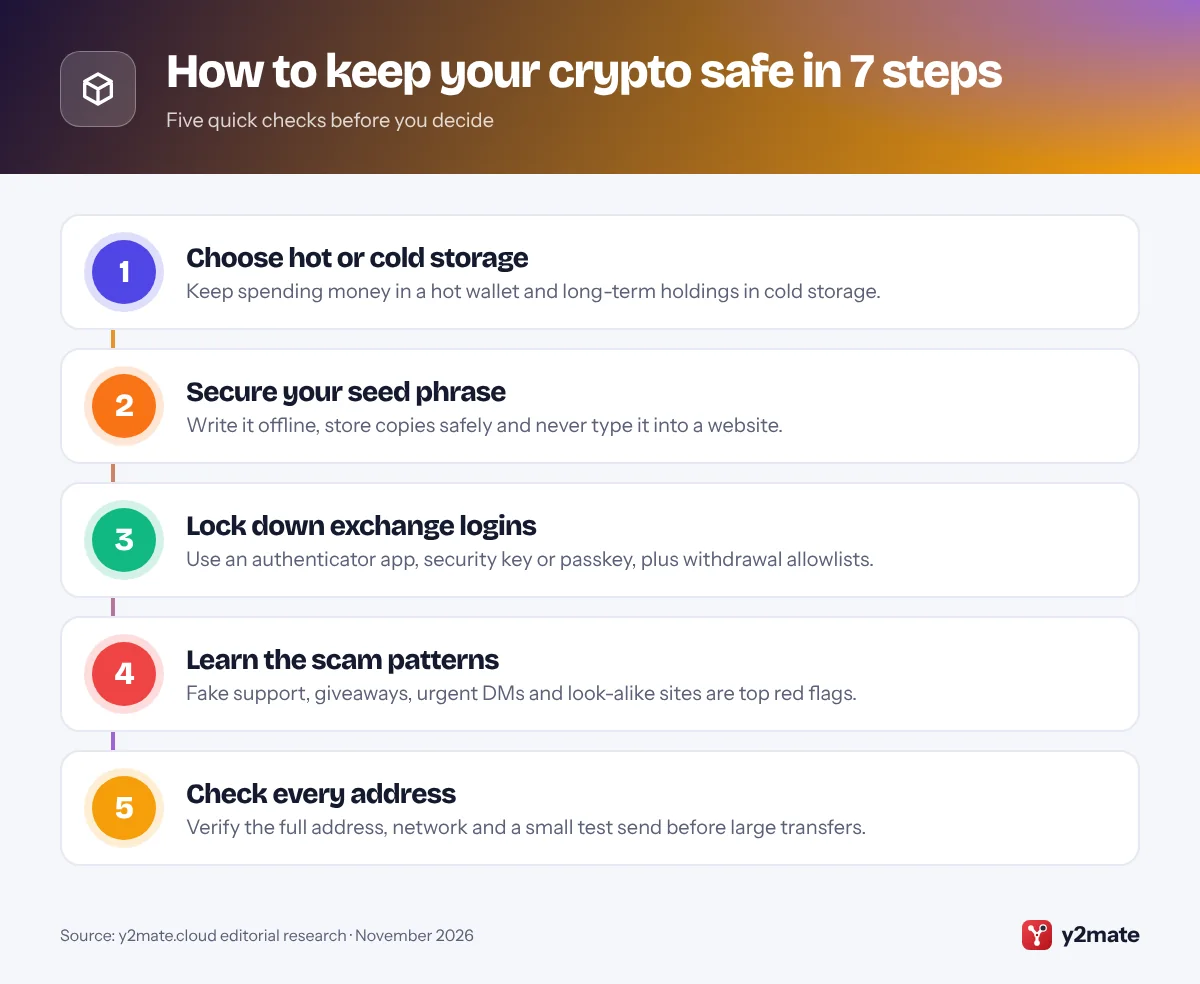
Step 1: Choose between hot and cold wallets
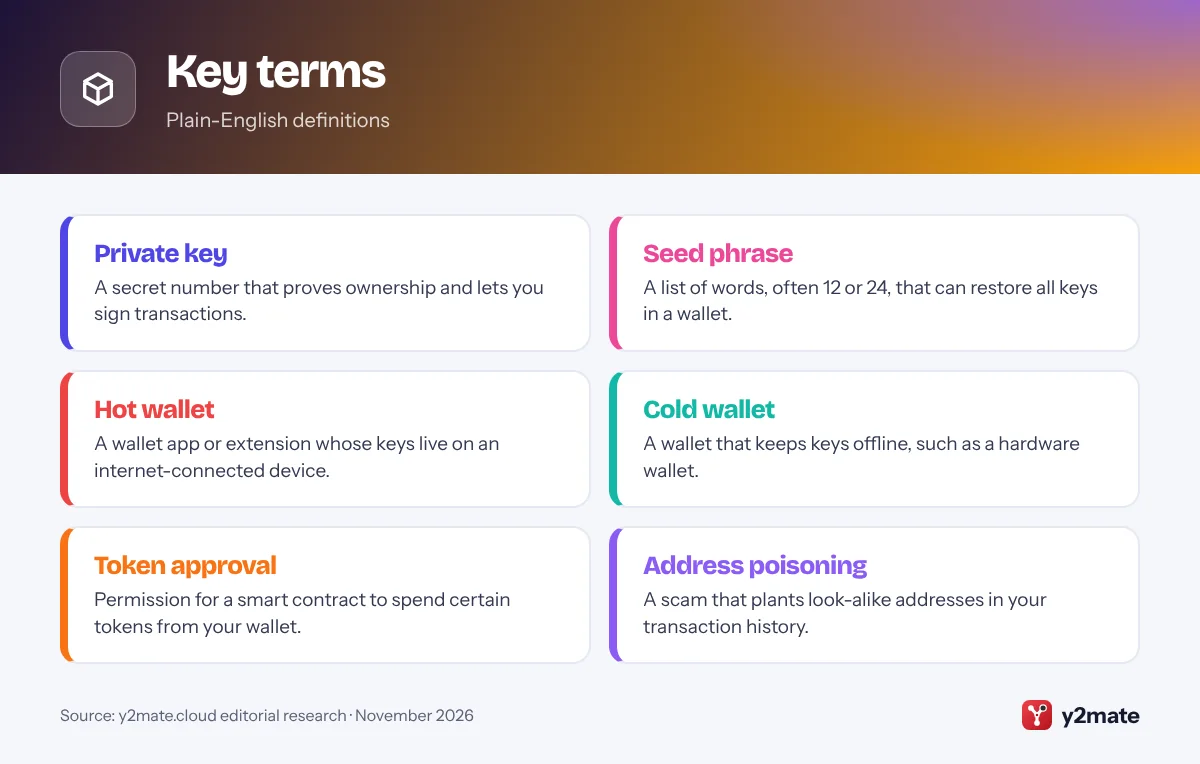
A wallet does not hold coins; it holds the private keys that control them on the blockchain. Where those keys live decides how exposed they are.
- Hot wallets are apps or browser extensions on internet-connected devices. They are convenient for everyday use and apps, but malware, phishing and stolen devices can put them at risk.
- Cold wallets keep keys offline, most commonly in a hardware wallet. Transactions are confirmed on the device itself, so a hacked computer cannot simply copy your keys.
- Exchange (custodial) accounts mean the exchange holds the keys for you. That is simple, but you depend on the exchange’s security and policies.
A common approach is to treat a hot wallet like a physical wallet and a cold wallet like a safe. Keep only what you are actively using in hot wallets or on exchanges, and move longer-term holdings to cold storage.
If you buy a hardware wallet, order it directly from the manufacturer’s official website or an authorised reseller. Never use a device that arrives with a seed phrase already written down, as legitimate devices generate a new one during setup.
Step 2: Store your seed phrase safely
Your seed phrase (also called a recovery or secret recovery phrase) is usually 12 or 24 words. Anyone who has it can take your crypto from any device, without your password or PIN. It is the single most important thing to protect.
How to store it:
- Write the words by hand, in order, on paper or stamp them on a metal backup plate that resists fire and water.
- Double-check each word against the wallet screen, then complete the wallet’s verification step.
- Store it somewhere secure, such as a home safe. Some people keep a second copy in another secure location in case of fire or flood.
Never:
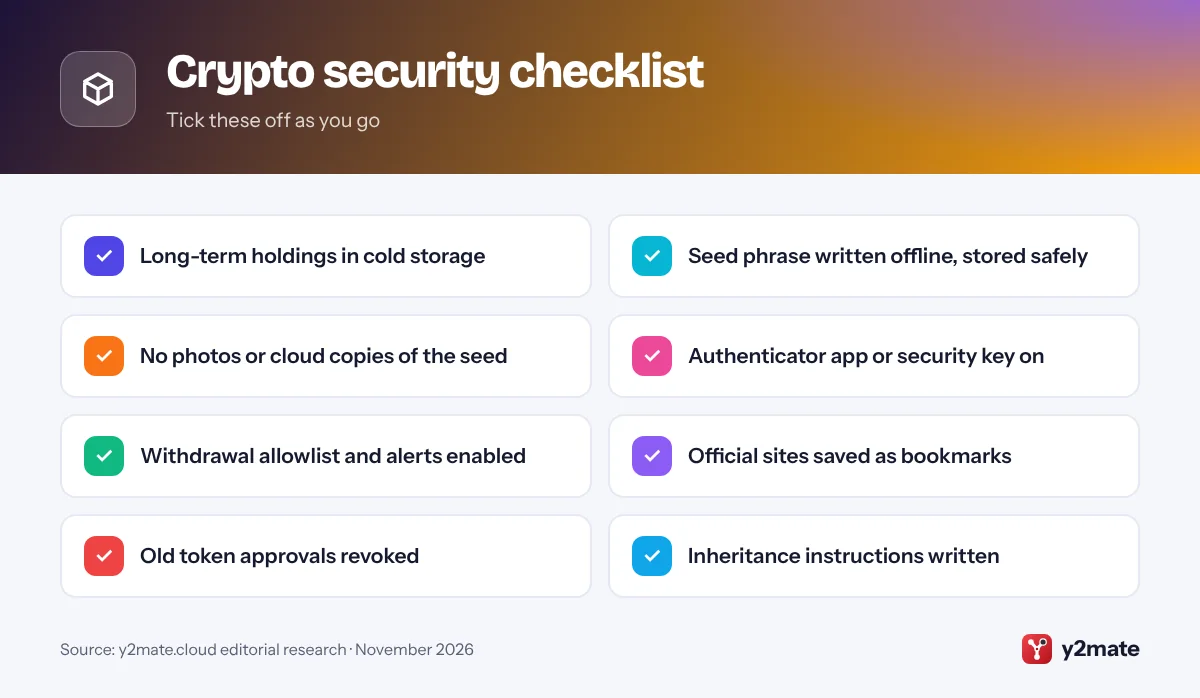
- Take a photo or screenshot of it.
- Store it in email, notes apps, cloud drives or password managers that sync online.
- Type it into any website, form or chat.
- Share it with anyone, including people claiming to be support staff.
Some wallets support an optional extra passphrase on top of the seed. It adds protection but also adds a second secret you must never lose, so only use it once you understand how it works.

Step 3: Turn on strong 2FA for exchanges
If you keep crypto on an exchange, your login is the front door. Strong two-factor authentication (2FA) makes a stolen password far less useful.
- Open your exchange’s Security settings. The exact location varies, but it is usually under your profile or account menu.
- Turn on an authenticator app or, where offered, a passkey or hardware security key. These are safer than SMS codes, which can be intercepted through SIM-swap attacks.
- Save the backup or recovery codes offline, separate from your phone.
- Enable a withdrawal address allowlist (sometimes called a whitelist) if available, so funds can only be sent to addresses you approved earlier.
- Turn on login and withdrawal alerts, and set an anti-phishing code if your exchange offers one, so you can recognise genuine emails.
Use a unique, strong password for every exchange and for the email account linked to it. Your email is often the key to resetting everything else, so protect it with 2FA too. Ask your mobile carrier about a SIM or port-out lock if they offer one.
Step 4: Recognise common crypto scams
Many thefts do not involve hacking at all. They trick you into handing over access. Learn these patterns:
- Fake support: someone contacts you on social media, Telegram or Discord offering help. Real support will never ask for your seed phrase or ask you to “validate” or “sync” your wallet.
- Giveaways and doubling offers: “send 1, get 2 back” schemes, often using fake celebrity or company accounts.
- Phishing sites and ads: look-alike domains and sponsored search results that copy real wallets and exchanges.
- Investment and romance scams: a new online contact builds trust, then points you to a platform that shows fake profits but blocks withdrawals.
- Fake airdrops and NFTs: unknown tokens appear in your wallet with a link to “claim” them. Interacting can lead to a malicious approval.
- Malicious apps and extensions: fake wallet apps in app stores or browser stores.
Common red flags are urgency, guaranteed returns, secrecy and requests to move to private chat. Bookmark the official sites you use and open them only from your bookmarks.
Step 5: Double-check addresses and networks
A crypto transfer sent to the wrong address or the wrong network usually cannot be recovered. A few habits prevent most mistakes.
- Copy addresses from the source, such as the official deposit page, not from your transaction history.
- Check the whole address, not just the first and last few characters. In address poisoning scams, attackers send tiny or zero-value transfers from look-alike addresses so the fake one appears in your history.
- Confirm the network. The same token can exist on several blockchains. Make sure the sending and receiving sides use the same network.
- Check memo or tag fields where an exchange requires one for certain coins.
- Send a small test amount first for new or large transfers, then send the rest once it arrives.
- Verify on your hardware wallet screen, which shows the address the device will actually sign for.
Be wary of clipboard-hijacking malware, which swaps a copied address for an attacker’s. That is another reason to compare the pasted address with the original before you confirm.
Step 6: Review and revoke token approvals
When you use decentralised apps, especially on Ethereum and compatible networks, you often grant a smart contract an approval to spend specific tokens. Some approvals are unlimited and stay active until you remove them. If that contract or site turns out to be malicious or is later exploited, the approval can be used to drain those tokens.
Before you sign:
- Read the wallet prompt. Be cautious with requests that say “approve”, “permit” or “setApprovalForAll”, or that ask for an unlimited amount.
- Treat off-chain signature requests seriously. Some, such as permit signatures, can authorise spending without a separate on-chain approval.
- Only connect your wallet to sites you opened yourself from a bookmark.
To clean up: use a reputable approval checker, such as the Etherscan Token Approval Checker or Revoke.cash. Connect your wallet, review the list and revoke anything you do not recognise or no longer use. Each revoke is an on-chain transaction that costs a network fee. Type these addresses yourself, because fake revoke sites exist.
Consider a separate hot wallet for experimenting with new apps, keeping your main holdings elsewhere.
Step 7: Plan for inheritance and emergencies
Self-custody means no one can recover your crypto without your keys, including your family. Without a plan, assets can be lost permanently if you die or become unable to manage them.
- Make an inventory. List which exchanges, wallets and hardware devices you use, without writing seed phrases or passwords in the same document.
- Write clear instructions in plain language: what each wallet is, where the backup is stored and how a trusted person should get help.
- Separate the pieces. For example, keep the instructions with your will and the seed backup in a safe, so no single document gives full access.
- Check exchange policies. Most exchanges have a process for estates, usually requiring legal documents.
- Talk to a professional. An estate lawyer in your country can explain how to include digital assets in a will.
More advanced options include multi-signature wallets, which need several keys to move funds, and dedicated inheritance services. Research them carefully before relying on them, and review your plan once a year.
A note on risk and advice
Following these steps can help you keep your crypto safe, but no setup removes every risk. Crypto prices can be volatile, platforms can fail, and rules differ between countries. This guide covers security practices only and is not financial, investment, legal or tax advice. Consider speaking to a qualified professional before making financial decisions.
Do's and don'ts

Key terms
Troubleshooting
I think my seed phrase has been exposed
Act quickly. Set up a brand-new wallet with a new seed phrase on a device you trust, then move your funds to it. Revoke any token approvals on the old wallet if you can, and stop using that wallet completely. Changing your app password does not help, because the seed phrase controls the funds.
I lost my phone with a wallet app on it
If you have your seed phrase, restore the wallet on a new device and consider moving funds to a fresh wallet. For exchange apps, contact the exchange through its official website, change your password and reset 2FA using your backup codes.
Unknown tokens or NFTs appeared in my wallet
Do not interact with them, visit linked websites or try to sell them. Many wallets let you hide such items. They are often bait for phishing or malicious approvals.
I signed something suspicious
Check your approvals with a trusted approval checker and revoke anything unfamiliar. If you still suspect compromise, move remaining funds to a new wallet. Report theft to your local police and national fraud reporting service, and be wary of “recovery” services that contact you, which are often scams themselves.
Frequently asked questions
Is it safe to keep crypto on an exchange?
It can be convenient, and large exchanges invest heavily in security, but you are trusting the company to hold your keys and stay solvent. If you keep funds on an exchange, use strong 2FA, a withdrawal allowlist and a unique password. Many people keep only what they plan to trade there and move long-term holdings to a wallet they control.
Do I need a hardware wallet?
Not everyone does, but it is one of the most effective ways to keep your crypto safe if you hold more than you would be comfortable losing. A hardware wallet keeps keys offline and shows transactions on its own screen. Buy it directly from the manufacturer and set it up yourself so it generates a new seed phrase.
Can stolen crypto be recovered?
Usually not. Blockchain transactions generally cannot be reversed. Sometimes an exchange can freeze funds that reach its platform, or law enforcement may trace them, so report theft quickly to the exchange and authorities. Be very careful of anyone promising to recover stolen crypto for a fee, as recovery scams commonly target recent victims.
What if I lose my seed phrase?
If your wallet still works, create a new wallet right away, write down its new seed phrase carefully, and transfer your funds to it. If you lose both the device and the seed phrase, the funds are most likely gone for good. This is why secure, tested offline backups are so important.
Is this guide financial advice?
No. This guide explains general security practices for protecting crypto you already own. It is not financial, investment, legal or tax advice, and it does not recommend any asset, exchange or product. Crypto carries significant risks, and rules vary by country, so consider speaking with a qualified professional before making financial decisions.
Wrapping up
Security is not one setting but a set of habits. To keep your crypto safe, store long-term holdings offline, protect your seed phrase like the keys to your house, lock down exchange logins, and slow down whenever someone creates urgency or asks you to sign something you do not understand.
Set aside time each month to check approvals, update apps and review your backups, and make sure someone you trust knows how to find your instructions. These small steps protect you against the most common ways people lose crypto.
Sources and further reading
- SEC crypto scam alert: The SEC's investor alert describes common digital asset and crypto investment scams and the warning signs to watch for.
- exercise caution with crypto: The SEC explains the risks of keeping crypto on platforms, including the possibility of losing legal ownership of deposits.
- securing your Bitcoin wallet: Bitcoin.org's guide to backing up, encrypting and protecting a Bitcoin wallet from loss and theft.
- Ethereum security and scams: Ethereum.org's guide to keeping your wallet secure and recognizing common crypto scams.

Leave a Reply