
- To use AI tools safely at work in Australia, follow your AI policy, use an approved business account, keep personal and confidential information out of prompts and check every output.
- The OAIC recommends, as best practice, not entering personal information, especially sensitive information, into publicly available generative AI tools.
- From 10 December 2026, organisations covered by the Privacy Act must explain in their privacy policy when computer programs use personal information to make or inform decisions that significantly affect people.
- The Australian Consumer Law applies to AI-written ads and chatbot replies, so a business is responsible if that content misleads customers.
- The National AI Centre's Guidance for AI Adoption, which updates the Voluntary AI Safety Standard, sets out six practices for adopting AI responsibly.
To use AI tools safely at work in Australia, follow your workplace’s AI policy, use an approved business account with data controls, and never paste personal, sensitive or confidential information into a tool not approved for that data. Check every output before you rely on it, be open with customers when AI is involved, and protect your account with multi-factor authentication or a passkey.
ChatGPT, Microsoft Copilot, Google Gemini and Claude are generative AI tools: software that creates text, images, code or summaries from a prompt. They save time, but bring risks too, from privacy breaches to misleading claims. Australia has no single AI law, so the usual rules on privacy, consumer protection, copyright and employment apply.
This guide is for employees, sole traders and small-business owners. It covers guidance from the Office of the Australian Information Commissioner (OAIC), the automated decision rules that start on 10 December 2026 and the National AI Centre’s Guidance for AI Adoption. It is general information, not legal advice.
Level: Beginner · Time needed: 30 minutes to set up
What you need
- Your workplace’s AI policy or acceptable use policy, if one exists
- Access to an approved AI tool, ideally through a work or business account
- An authenticator app, passkey or security key for multi-factor authentication
- A list of the data types you handle, such as customer or health data
- For owners: someone to approve tools and keep the policy current
Step 1: Check Your Workplace AI Policy First
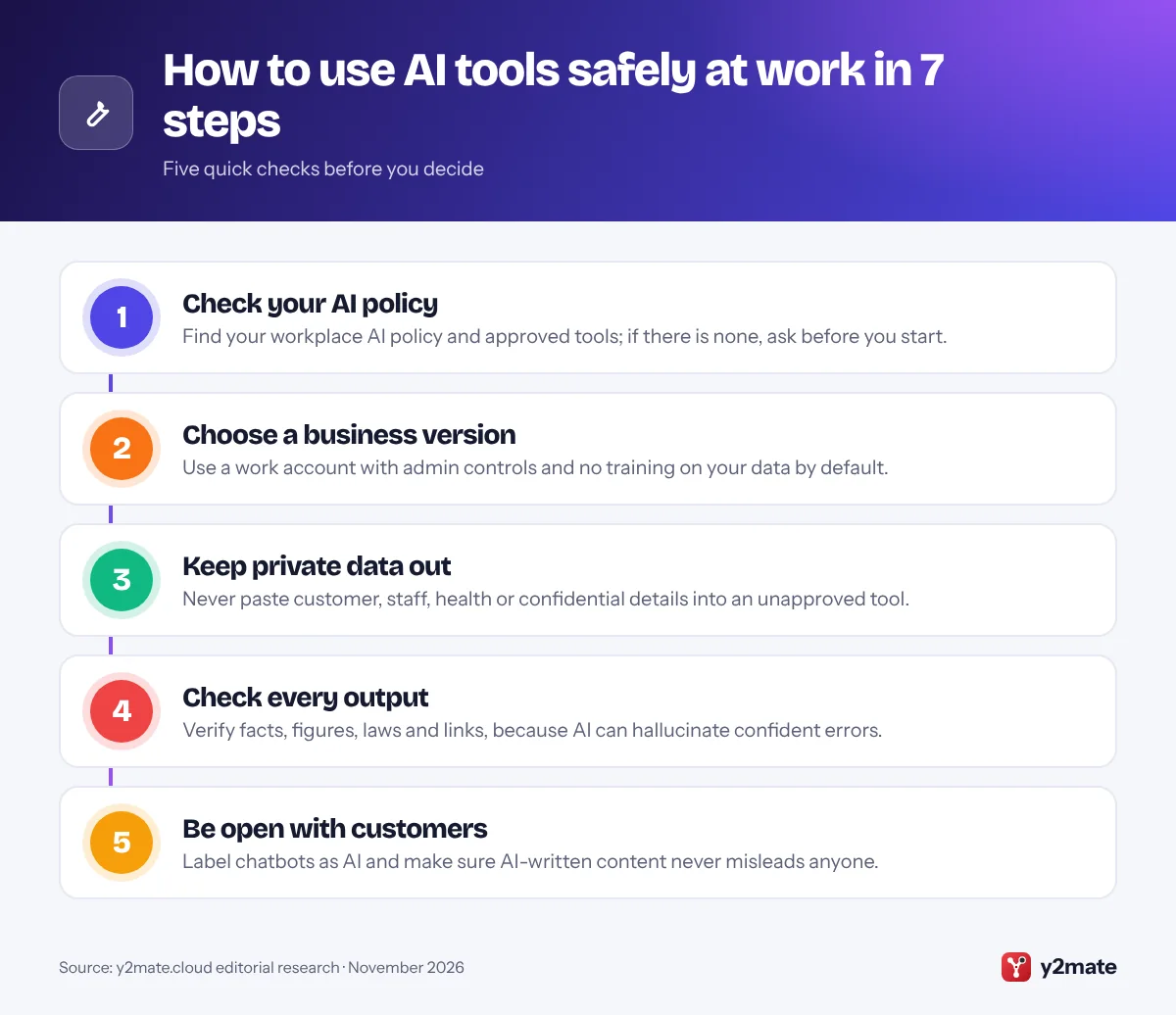
Before you use any AI tool for work, find out what your employer already allows. Look for an AI policy, acceptable use policy or approved software list. A good policy names the approved tools, the information that is off limits, who reviews AI output and how to report a mistake.
If you are an employee, follow the policy even if a free tool seems quicker, because using an unapproved tool with work information can breach workplace rules and confidentiality duties. If there is no policy, ask your manager in writing which tools you may use, and keep the reply.
If you run the business, write a short policy now. The National AI Centre’s Guidance for AI Adoption: Foundations recommends an AI policy and offers a free template. Cover at least:
- Approved tools and accounts
- Information that must never be entered
- Who checks AI output
- How staff report errors or data slips
Step 2: Choose a Business or Enterprise Version With Data Controls
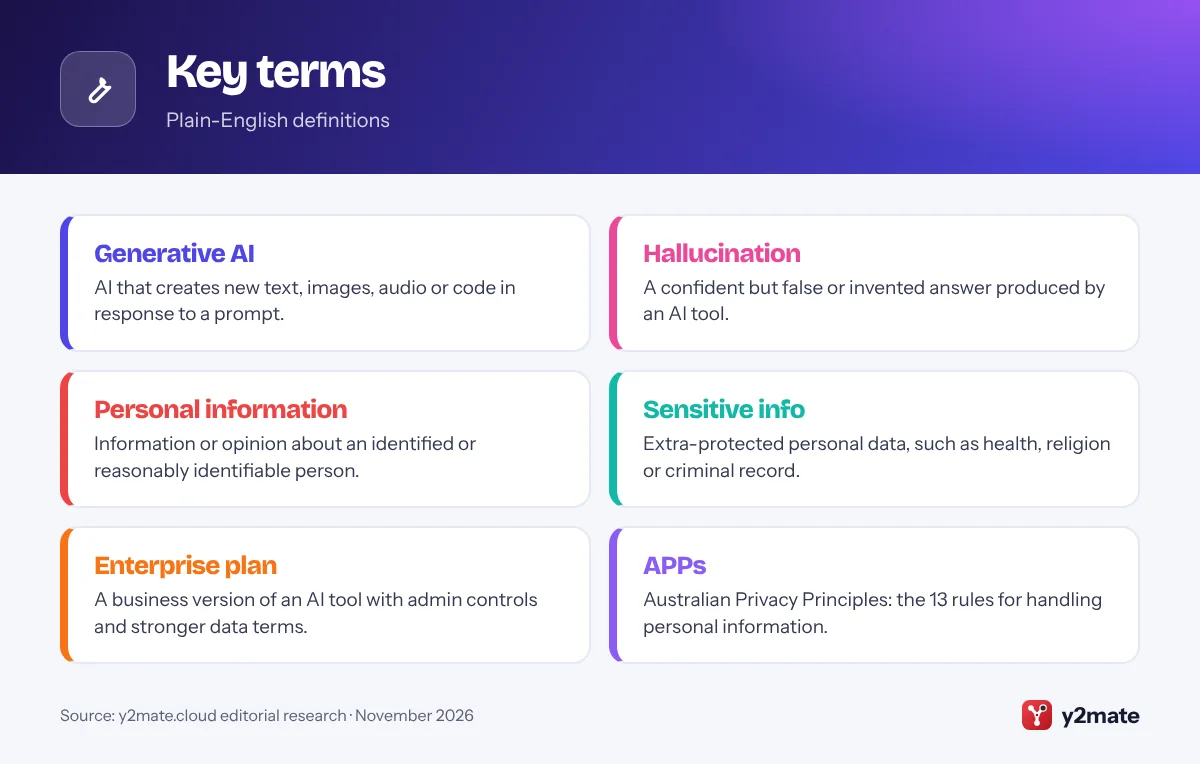
Free consumer AI apps are designed for individuals. Business and enterprise versions, often called enterprise plans, add admin controls, single sign-on and contract terms about how your data is handled, so they are usually the safer choice for work.
Check these points in the provider’s own documentation:
- Training on your data: OpenAI, Microsoft, Google and Anthropic state that, by default, they do not use business customers’ prompts and content to train their models. Consumer versions may use your chats unless you switch this off in privacy settings.
- Retention: how long chats and files are kept.
- Data location: some providers document options to store business data in Australia on certain plans. For example, OpenAI lists Australia as a data residency region for eligible ChatGPT Enterprise and Edu workspaces. Ask what applies to your plan.
- Admin controls: who can add users, connect apps and view activity logs.
The OAIC also suggests checking whether a product’s terms give the developer access to what you enter or generate.
Step 3: Never Paste Personal, Sensitive or Confidential Information
The Privacy Act 1988 is Australia’s main privacy law. Its 13 Australian Privacy Principles (APPs) set rules for how covered organisations handle personal information: information or an opinion about a person who is identified or reasonably identifiable, such as a name, phone number or customer record. Sensitive information, such as health details, religious beliefs or criminal records, gets extra protection.
The OAIC has published guidance on privacy and the use of commercially available AI products. It says privacy obligations apply to personal information you enter into an AI tool and to personal information it produces, including made-up details about a real person. As best practice, it recommends not entering personal information, especially sensitive information, into publicly available generative AI tools.
Many small businesses with an annual turnover of 3 million dollars or less are exempt from the Privacy Act, but health service providers and some others are covered whatever their size. Either way, keep client files, staff records, contracts and passwords out unless the tool is approved for that data.
Step 4: Check Every Output for Errors and Hallucinations
Generative AI works by predicting likely words, and it does not reliably check facts the way a careful person does. That is why it can produce a hallucination: an answer that sounds confident but is wrong or invented, such as a made-up case, a fake reference or an outdated rule.
Before you rely on or send any AI output:
- Check names, dates, figures and quotes against the original document.
- Open every link and citation, and confirm the source exists and says what the AI claims.
- Check Australian rules on official sites such as ato.gov.au or fairwork.gov.au, because AI can mix in overseas or outdated law.
- Read the whole response for tone and bias.
The Fair Work Ombudsman warns that AI answers to workplace questions may not reflect Australian workplace law and may be out of date, so treat them as a starting point. Whatever the tool, you and your business remain responsible for how you use its output.
Step 5: Be Open With Customers When You Use AI
The Australian Consumer Law bans misleading or deceptive conduct, including in ads, product descriptions, quotes and chatbot replies written by AI. The ACCC has made clear that a business cannot avoid responsibility by blaming the technology, and has flagged risks such as chatbots misstating consumer rights, fake AI-generated reviews and overstated claims about AI, often called AI washing.
In practice:
- Label chatbots and virtual assistants as AI, as the OAIC recommends for public-facing AI tools.
- Do not use AI images that misrepresent your products or results.
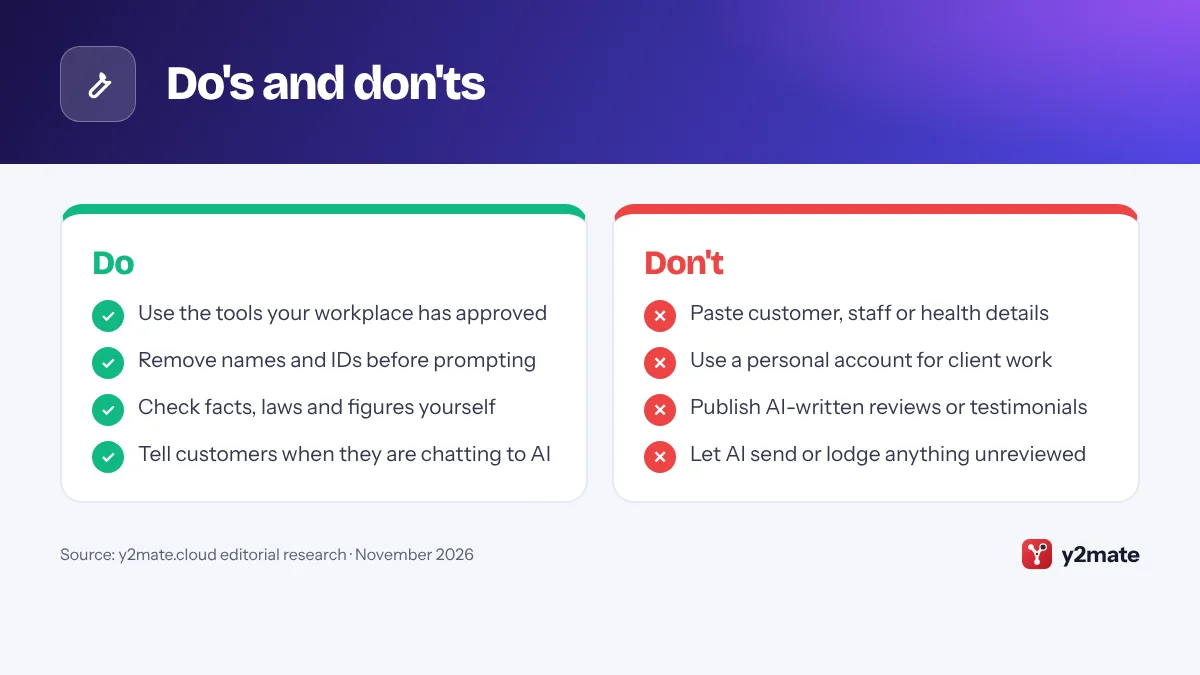
- Never publish AI-written reviews or testimonials.
- Only call your product AI-powered if that is accurate.
- Update your privacy policy if AI tools handle customer information.
The National AI Centre’s Guidance for AI Adoption, which updates the earlier Voluntary AI Safety Standard, sets out six practices. One is sharing essential information about your AI use with the people it affects.
Step 6: Secure Your AI Accounts and Connected Apps
An AI account can hold months of chats, uploaded files and links to your email or cloud storage, so protect it as carefully as your work email.
- Turn on multi-factor authentication (MFA), or use a passkey where supported. ASD’s Australian Cyber Security Centre (ACSC) recommends passkeys or another phishing-resistant form of MFA where available.
- Sign in with your work account, using single sign-on if offered, so access ends when you leave.
- Limit connectors and agents to the folders and apps they need. ASD’s ACSC advises using agentic AI for low-risk, non-sensitive tasks without broad access.
- Watch for AI-powered scams, such as convincing phishing emails or cloned voices asking for urgent payments. Confirm requests using a number you already know.
ASD’s ACSC publication Artificial intelligence for small business, written with COSBOA and New Zealand’s NCSC, includes a checklist for adopting AI tools securely.
Step 7: Respect Copyright and Confidentiality, and Keep Records
Copyright: Australian courts have generally treated copyright as needing a human author, so material produced by AI with little human input may not be protected. AI output can also resemble existing work, so check images and long passages before publishing, and read the tool’s terms on commercial use. Do not upload others’ copyright material without permission. In October 2025 the Australian Government ruled out a text and data mining exception that would have let AI developers train on copyright works without permission, and it is still consulting on other AI and copyright issues.
Confidentiality: contracts and professional rules may limit sharing information with third parties, including AI providers, so check before you upload.
Records: keep a simple log of which AI tools are used, by whom and for what, important outputs and who checked them, and any incidents. The National AI Centre offers a free AI register template. Good records show that you acted carefully.
Australian Laws That Apply When You Use AI at Work
Australia has no standalone AI Act. Its National AI Plan, released in December 2025, relies on existing, largely technology-neutral laws. For everyday work, the main ones are:
- Privacy Act 1988 and the APPs: how personal information is collected, used, disclosed and secured.
- Automated decision-making transparency: from 10 December 2026, organisations covered by the Privacy Act must explain in their privacy policy when they have arranged for a computer program to make, or do something substantially and directly related to making, decisions that could reasonably be expected to significantly affect people’s rights or interests, using personal information. Tools that screen job applicants or assess eligibility could be covered. The OAIC has published a fact sheet and flowchart.
- Australian Consumer Law: no misleading or deceptive conduct.
- Copyright Act 1968: covers what you upload and publish.
- Workplace laws: pay, conditions and workplace rights still apply when AI is involved.
Further privacy reforms were consulted on in 2026, so check the OAIC for updates.
How Employees, Sole Traders and Owners Can Use AI Tools Safely at Work
Employees: use only approved tools and your work account, never a personal account for work information, and do not upload anything you would not email to an outsider. If unsure, ask first, and report mistakes quickly, because early reports are easier to fix.
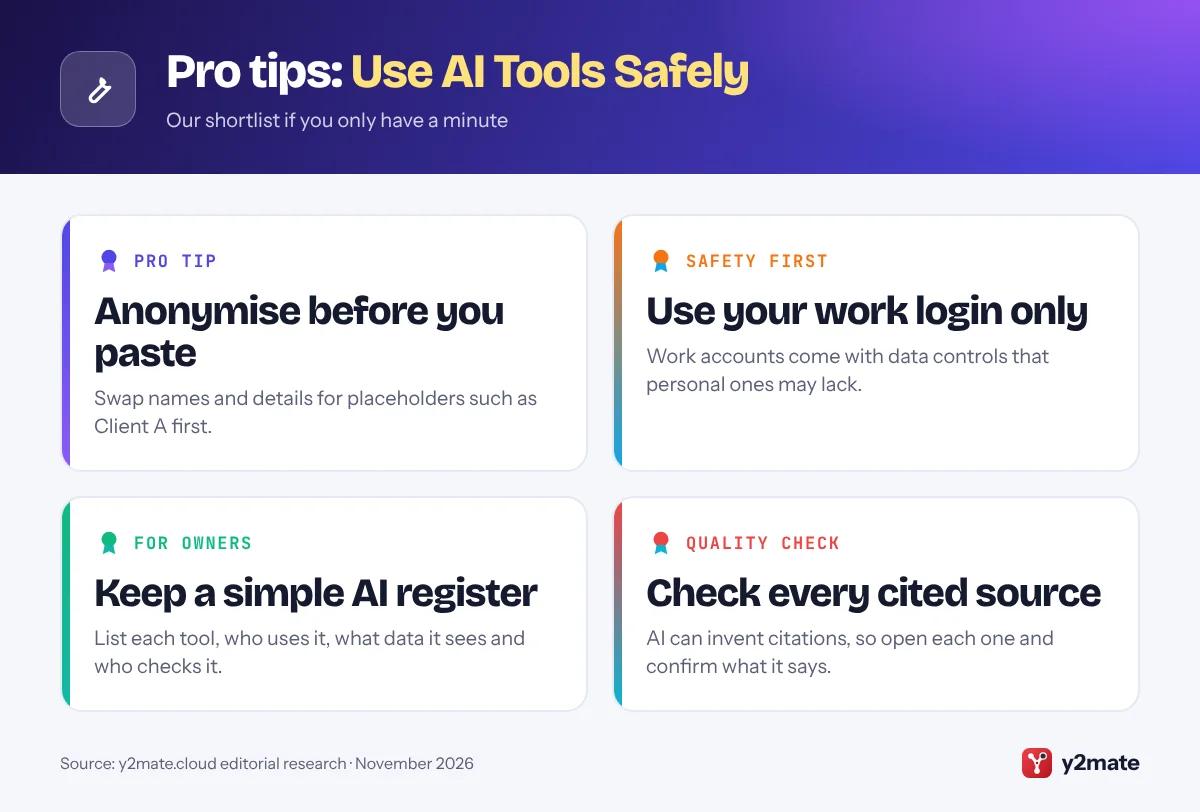
Sole traders: you are the policy writer, IT team and reviewer in one. Keep a separate business account, switch off training on your data where the tool allows, keep client details out of prompts and note how AI helped with client work. Check client contracts for rules on AI or subcontracting.
Business owners: make one person accountable for AI, approve tools before staff use them, train staff and review the policy regularly. Start with low-risk uses such as internal drafts, and keep a person signing off anything that goes to customers, the ATO, regulators or staff pay.
Using AI in Regulated Fields: Health, Legal and Finance
Some professions have extra rules. This is a broad overview only, so check with your regulator or professional body before using AI with client or patient work.
- Health: health information is sensitive information, and health service providers are covered by the Privacy Act whatever their size. Ahpra’s guidance on using AI in healthcare reminds practitioners to apply their own judgement to AI output and to consider privacy and patient consent. Some AI tools used in care may also be regulated by the TGA.
- Legal: confidentiality and duties to the court still apply. Some courts, including the Supreme Court of New South Wales, have practice notes restricting generative AI in court documents, and invented case citations are a well-known risk.
- Finance: ASIC has said the existing regulatory framework is technology neutral and applies to AI, and has urged licensees to keep governance in step with their AI use.
In every regulated field, keep a qualified person responsible for any advice or decision AI helped produce.
Do's and don'ts
Key terms
Troubleshooting
You pasted personal information into an AI tool by mistake
Stop using that chat, delete it if the tool allows and tell your manager or privacy officer straight away, as deletion may not be immediate. Organisations covered by the Privacy Act should promptly assess whether it is an eligible data breach under the Notifiable Data Breaches scheme.
Your workplace has no AI policy
Ask your manager in writing which tools and information are allowed, and stick to those until a policy exists. Owners can start with the National AI Centre’s free AI policy template.
An AI error reached a customer
Correct it promptly with the customer and add a review step for that content. Under the Australian Consumer Law, your business is responsible for what it tells customers.
You think your AI account has been compromised
Change your password, sign out of all sessions, turn on MFA or a passkey and remove connected apps you do not recognise. Tell your IT contact and report cyber incidents through cyber.gov.au.
Frequently asked questions
How do I use AI tools safely at work in Australia?
Follow your workplace AI policy and use only approved tools, ideally a business account that does not train on your data by default. Keep personal and confidential information out of prompts, check every output before relying on it, tell customers when AI is involved and protect your account with multi-factor authentication or a passkey.
Can I put customer or staff information into ChatGPT, Copilot or Gemini?
Only if your business has approved that tool for that kind of information, and even then share no more than you need. The OAIC recommends, as best practice, not entering personal information, especially sensitive information such as health details, into publicly available generative AI tools. If in doubt, remove names and identifying details first.
Does Australia have a specific law for using AI at work?
No. Australia does not have a standalone AI Act. The National AI Plan released in December 2025 relies on existing laws, including the Privacy Act 1988, the Australian Consumer Law, copyright law and workplace laws. From 10 December 2026, covered organisations must also explain in their privacy policy certain automated decisions that use personal information.
Do I have to tell customers when my business uses AI?
Australian law does not require every use of AI to be disclosed, but you must not mislead customers under the Australian Consumer Law. The OAIC recommends clearly identifying public-facing chatbots as AI and explaining your use of AI in your privacy policy. From 10 December 2026, covered organisations must also describe certain automated decisions. Being open is the safest approach.
Who owns the copyright in content made with AI in Australia?
The position is not fully settled. Australian courts have generally treated copyright as needing a human author, so material generated by AI with little human input may not be protected, while work where a person makes real creative choices is more likely to be. Check the AI tool's terms on commercial use and avoid uploading other people's copyright material.
Wrapping up
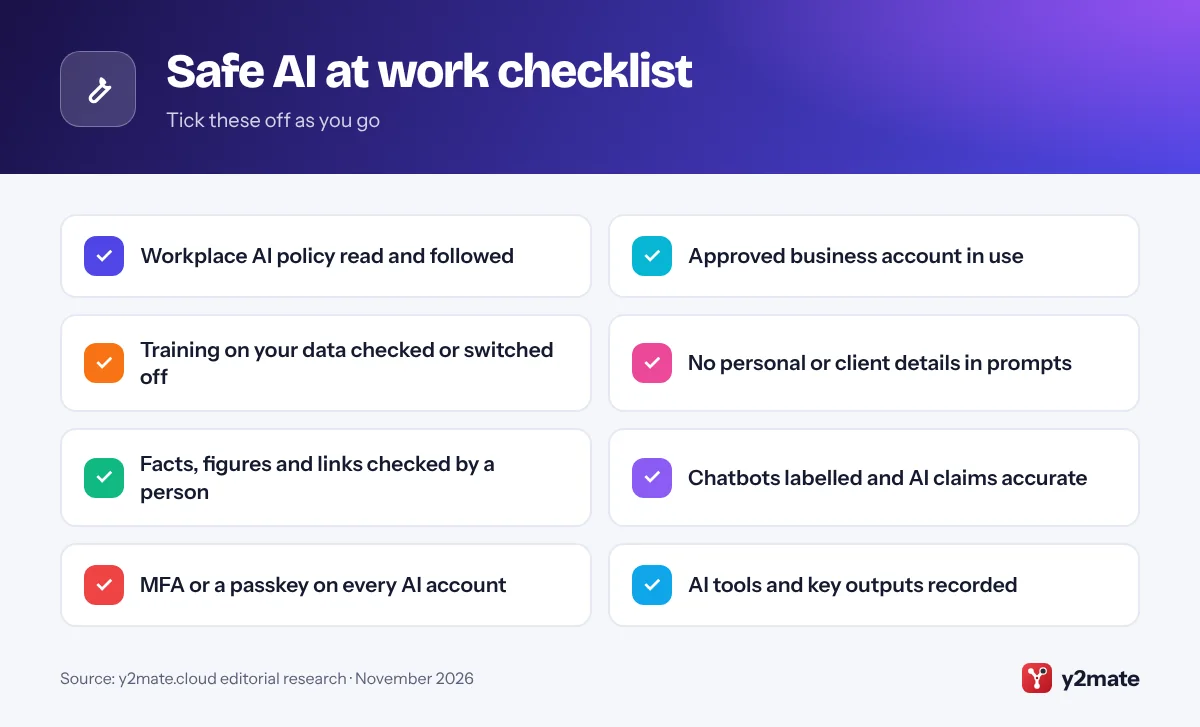
Using AI safely at work comes down to a few habits: follow your policy, use a business account, keep personal and confidential information out, check outputs, be honest with customers, secure your accounts and keep records. When you use AI tools safely at work, you get the time savings without the privacy, consumer law or reputational risks.
Owners should also check for tools that make or inform significant decisions about people before 10 December 2026. Choosing tools? See our Top 10 AI Tools for Small Businesses in Australia and our guide to setting up passkeys.
Sources and further reading
- OAIC guidance on commercial AI products: The Australian privacy regulator explains how the Privacy Act applies when organisations use off-the-shelf AI products such as chatbots.
- OAIC on automated decision transparency: The OAIC's fact sheet and flowchart on the privacy policy rules for automated decisions that start on 10 December 2026.
- Guidance for AI Adoption: Foundations: The National AI Centre's six essential practices for adopting AI responsibly, with free AI policy and AI register templates.
- ASD's ACSC: AI for small business: Australian Cyber Security Centre advice on managing the cyber security risks of AI tools, including a checklist for small businesses.
- Fair Work Ombudsman on AI answers: The Fair Work Ombudsman explains why AI answers to workplace questions may be wrong or out of date and how to check them.

Leave a Reply