
- To block scam calls and texts in Australia, combine your phone's screening settings, your mobile provider's scam protection and prompt reports to Scamwatch.
- On iPhones running iOS 26 or later, Settings > Apps > Phone > Screen Unknown Callers offers Ask Reason for Calling or Silence, and Google lists Australia for Call Screen on Pixel phones.
- Since 1 July 2026, texts from brand-name sender IDs that are not on the ACMA's SMS Sender ID Register show as 'Unverified' and are grouped in one thread.
- The Do Not Call Register reduces telemarketing calls but does not stop scam calls, because scammers ignore it.
- If you paid or shared details with a scammer, call your bank immediately, report it through ReportCyber or Scamwatch, and get free identity help from IDCARE on 1800 595 160.
The most reliable way to block scam calls Australia-wide is to stack three layers of protection: turn on your phone’s built-in call and message screening, make sure your mobile provider’s scam filters and warnings are working for you, and report anything that slips through. No single setting stops every scam, so this guide also shows you how to recognise impersonation calls and what to do straight away if you have already answered, replied or clicked.
Scam calls and texts often pretend to come from your bank, the ATO, myGov, Australia Post or a toll road operator. Since 1 July 2026, branded texts from senders that have not registered on the ACMA’s SMS Sender ID Register show as “Unverified”, which gives you a new warning sign to watch for.
This guide is for everyday Australians using an iPhone or Android phone with any provider. Where menu names differ by phone or software version, we say so. To see which scams are doing the rounds, read it alongside our list of the top scams to watch out for in Australia.
Level: Beginner · Time needed: 30 minutes
What you need
- Your phone on its latest software: iOS 26 or later on iPhone, or updated Phone and Messages apps on Android
- Your mobile provider’s app, such as My Telstra or My Optus, and your login
- Your bank’s official phone number, from its app, website or the back of your card
- Important numbers, such as your GP and school, saved to Contacts so screening does not catch them
- Access to scamwatch.gov.au and cyber.gov.au for reporting
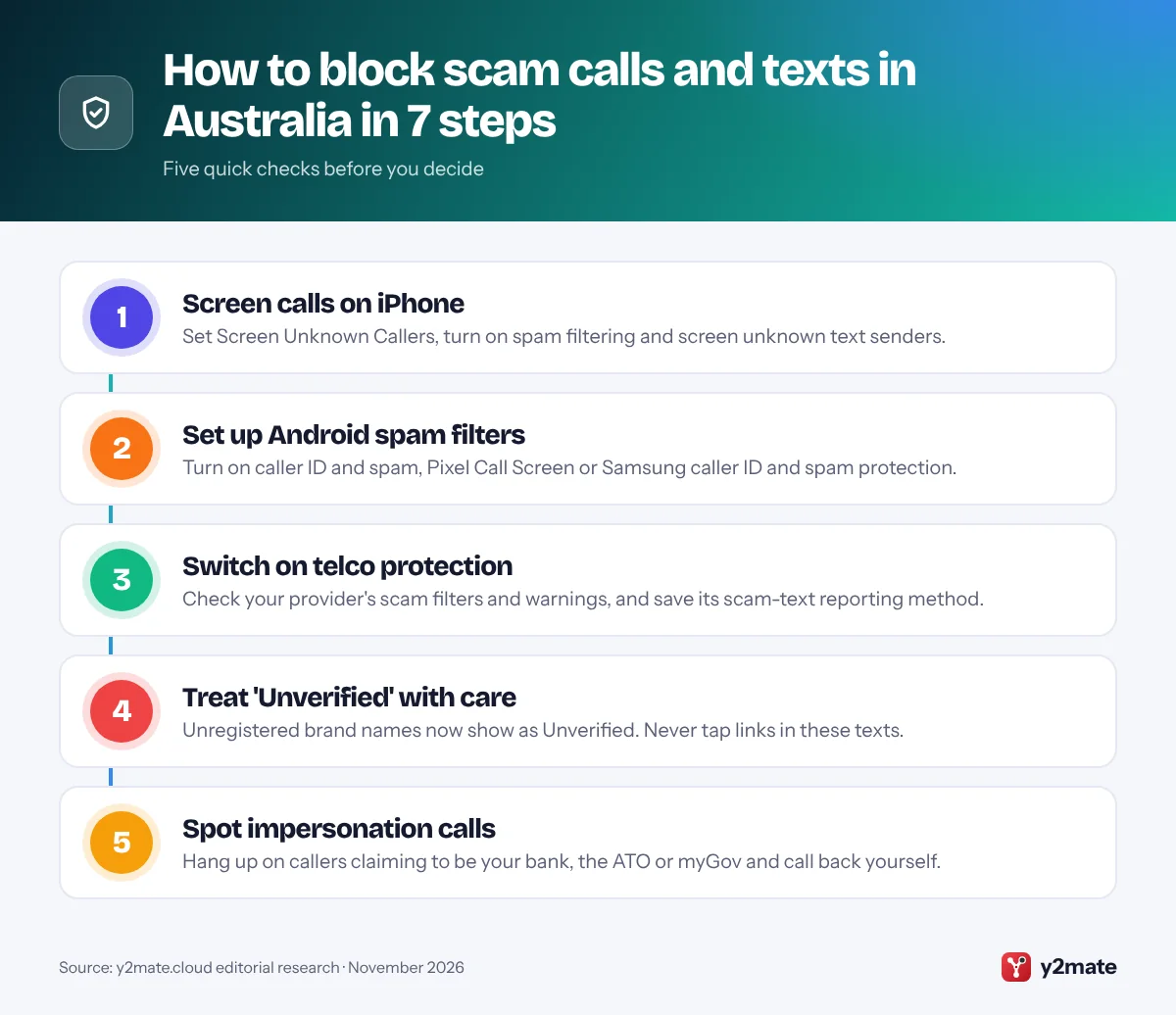
Step 1: Turn On Call Screening and Message Filtering on iPhone
Apple added Call Screening in iOS 26 and lists it as available in English (Australia). Your iPhone answers calls from numbers not in your contacts, asks for the caller’s name and reason for calling, then rings and shows you their answer.
- Open Settings, tap Apps, then Phone.
- Under Screen Unknown Callers, choose Ask Reason for Calling to screen calls, or Silence to send unsaved numbers straight to voicemail. Never turns screening off.
- On the same screen, turn on the Spam filter. Where your carrier supports it, calls it identifies as potential spam or fraud are silenced and moved to a Spam list.
On iOS 18 and earlier, the older switch is Settings > Phone > Silence Unknown Callers. Apple notes that calls are not screened while you are roaming.
For texts, turn on Screen Unknown Senders. In iOS 27, open Messages, tap the Filters button at the top of the conversation list, then tap Manage Filtering. In iOS 26, the switch is in Settings > Apps > Messages, under Unknown Senders. Texts from unknown senders then go to a separate Unknown Senders folder, and you cannot open their links until you mark the sender as known.
To block a single number, open the Phone app, tap the info button next to the call and choose the block option.
Step 2: Set Up Caller ID and Spam Protection on Android, Pixel and Samsung
Android settings depend on your Phone app: Pixel and many other phones use Phone by Google, while Samsung Galaxy phones usually use Samsung’s own.
Phone by Google and Pixel
- Open the Phone app, tap More options (three dots), then Settings.
- Tap Caller ID and spam (shown as Spam and Call Screen in some versions) and turn on See caller ID and spam.
- If you see Filter spam calls, turn it on. Phones with automatic Call Screen do not show this option, because spam blocking is built into Call Screen.
Google lists Australia for automatic and manual Call Screen on Pixel phones: in the Phone app’s settings, open Spam and Call Screen, tap Call Screen and pick a protection level. Scam Detection during calls is also listed for Australia on Pixel 9 and later, with an Australian SIM.
Samsung Galaxy
Open the Phone app, tap the three-dot menu, then Settings, and turn on Caller ID and spam protection. Inside it, you can choose to block spam and scam calls. Samsung’s Australian site calls this feature Smart Call, and menu names vary between One UI versions.
In Google Messages, tap your profile picture, then Messages settings, and check Spam and scam protection. To block a sender, touch and hold the conversation, tap Block, then Report spam.
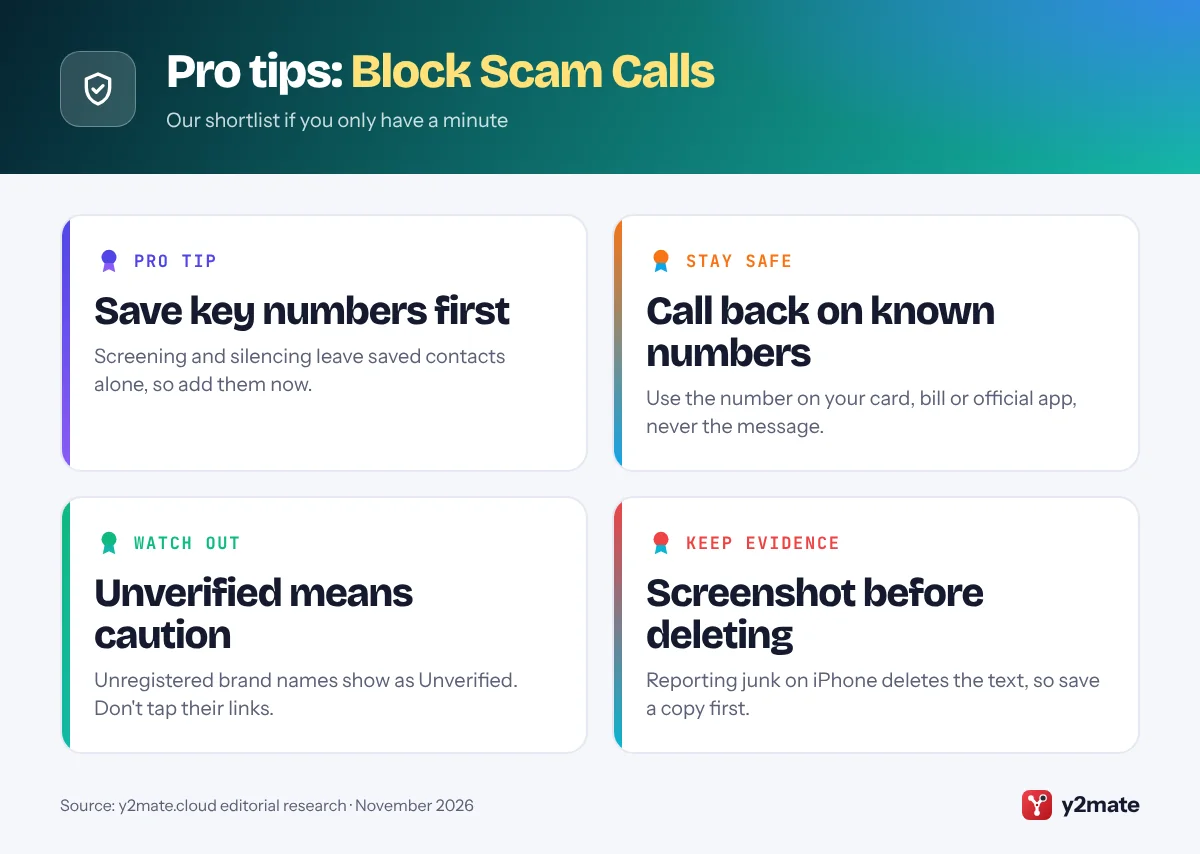
Step 3: Use Carrier Tools to Block Scam Calls Australia-Wide
Australian telcos must follow the Reducing Scam Calls and Scam SMs industry code, registered and enforced by the ACMA, which requires them to identify, trace and block scam calls and texts. Much of that blocking happens before anything reaches you, and the big providers add extra features:
- Telstra: Its SMS scam filter, part of the Cleaner Pipes initiative, is on across the network and can be managed in the My Telstra app under Profile > Security and safety > Filter scam text messages. Telstra Scam Protect, free and automatic on eligible services, may show warnings such as “Warning: Potential Fraud”. Forward scam texts to 7226 for free; Telstra says this number is for texts, not calls.
- Optus: Report scam texts through Optus ScamWise in the My Optus app: tap Report a suspicious SMS, paste in the message and tap Submit. Optus’s Call Stop blocks calls to known scam numbers and plays a warning message instead.
- Vodafone: Vodafone shows a “Warning: Suspected Scam” banner on some calls it thinks look suspicious, and asks customers to report scam texts and calls to Scamwatch.
- Other providers: Smaller brands often use these networks but have their own reporting routes, so check your provider’s scam page.
Network warnings will not catch every scam, so keep your phone’s own settings switched on as well.
Step 4: Understand 'Unverified' Texts and the SMS Sender ID Register
A sender ID is the brand name, such as “myGov” or “Linkt”, that appears at the top of a text instead of a phone number. Scammers have copied these names to look genuine.
Since 1 July 2026, organisations can only send texts with a brand-name sender ID if it is registered on the ACMA’s SMS Sender ID Register through their telco or message provider. If it is not registered, the name is replaced with the word “Unverified”, and these messages are grouped together in a single Unverified thread on your phone.
What this means for you:
- Treat Unverified texts with extra caution. The ACMA says not to click links or give personal information in them.
- A registered name is not a guarantee. Scammers can still impersonate brands in the body of a message, and the register does not cover texts sent from ordinary phone numbers or through apps such as WhatsApp, iMessage and Facebook Messenger.
- Some genuine texts may still show as Unverified while businesses finish registering. If you are unsure, open the organisation’s official app or website yourself rather than using the message.
Your telco applies the label automatically, so there is nothing to switch on.
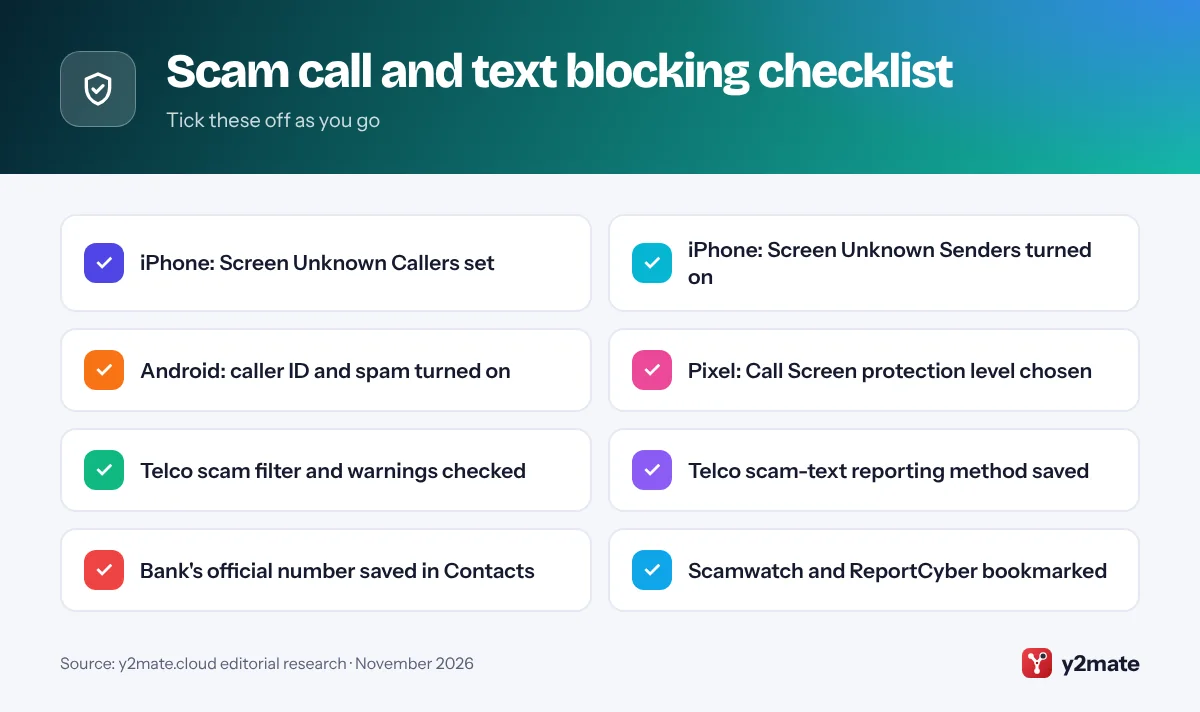
Step 5: Spot Bank, ATO, myGov, Australia Post and Toll Road Impersonation
Caller ID and sender names can be faked, so judge the request, not the name. Red flags include urgency, threats of fines and requests for codes or passwords.
- Your bank: Scamwatch says your bank will never ask you to move money to keep it safe, or ask over the phone for online banking passwords, one-time codes or PINs.
- ATO and myGov: The ATO says neither it nor myGov will text or email you a link to log in to online services. Type ato.gov.au or my.gov.au into your browser instead. Unsure whether the ATO is really contacting you? Call it on 1800 008 540.
- Services Australia: Genuine myGov texts only tell you about a new message in your myGov Inbox.
- Australia Post: It says it will never call, text or email asking for passwords or card details, or request a payment you are not expecting. Send suspicious messages to
scams@auspost.com.au. - Toll roads: Linkt says it never asks you to pay or give financial details through a link in a text. Check your account in its app or website instead.
The safest habit: hang up or ignore the message, find the organisation’s number yourself on its website, card or bill, and call back.
Step 6: Report Scam Calls and Texts to the Right Place
Reports help telcos and government agencies spot and block scams sooner. Take a screenshot first: on iPhone, reporting a message as junk sends it to Apple and deletes it from your phone. Then:
- Scamwatch: Report any suspicious call, text or email through the Scamwatch report form, run by the National Anti-Scam Centre. Scamwatch encourages reports whether or not you lost money.
- ReportCyber: If you are the victim of a cybercrime, for example someone has stolen your money or personal information, hacked an account or is trying to extort you, report it to police through ReportCyber at cyber.gov.au. If you are unsure whether it counts, the Australian Cyber Security Hotline on 1300 CYBER1 (1300 292 371) can guide you.
- Your telco: Forward scam texts to 7226 if you are with Telstra, use ScamWise if you are with Optus, or follow your provider’s scam page.
- The organisation being impersonated: Use the scam reporting details on its official website, then block the number.
Unwanted marketing texts from Australian businesses are spam rather than scams. You can forward those to the ACMA’s spam line on 0429 999 888, where standard message charges apply.
Step 7: What to Do If You Answered, Replied or Clicked
If you only answered a call and hung up without sharing anything, block the number and move on. If you shared information, paid money or gave access to a device, act now:
- Stop all contact. Hang up, do not reply and do not call any number the scammer gave you.
- Call your bank or card provider immediately on the number on your card or in its app, and ask it to stop any transactions.
- Change your passwords from a device you trust, starting with email, banking and myGov, and turn on multi-factor authentication.
- Contact the right agency. If you clicked a fake myGov link or shared Centrelink or Medicare details, call the Services Australia Scams and Identity Theft Helpdesk on 1800 941 126. If a fake ATO caller got money or sensitive details, call the ATO on 1800 008 540.
- Get identity help. IDCARE, the national identity and cyber support service, can help you make a free plan to limit the damage. Call 1800 595 160 or visit idcare.org.
- Report it and stay alert. Report to ReportCyber and Scamwatch, then watch for follow-up scams, especially offers to help you get your money back.
If you are not happy with how your bank responds, you can complain to the Australian Financial Complaints Authority (AFCA). If you feel in danger, call 000.
Australia's Rules on Scam Calls and Texts: What They Do and Don't Do
Reducing Scam Calls and Scam SMs code
This telco industry code, registered and enforced by the ACMA, requires carriers and phone companies to identify, trace, block and otherwise disrupt scam calls and texts, and to report what they block. Some scams still get through.
Do Not Call Register
Registering your number at donotcall.gov.au is free and permanent, and it cuts unsolicited telemarketing calls from legitimate businesses. It does not stop scam calls, because scammers ignore it, and some organisations, such as registered charities and political parties, can still call. The register will never ask for your bank details.
Scams Prevention Framework
The Scams Prevention Framework Act 2025 sets obligations for designated sectors to prevent, detect, report, disrupt and respond to scams. Banks, telcos and certain digital platforms, such as social media, search and messaging services, were designated first and had to join AFCA, the free complaints scheme, from 1 September 2026. ASIC says most obligations start on 31 March 2027.
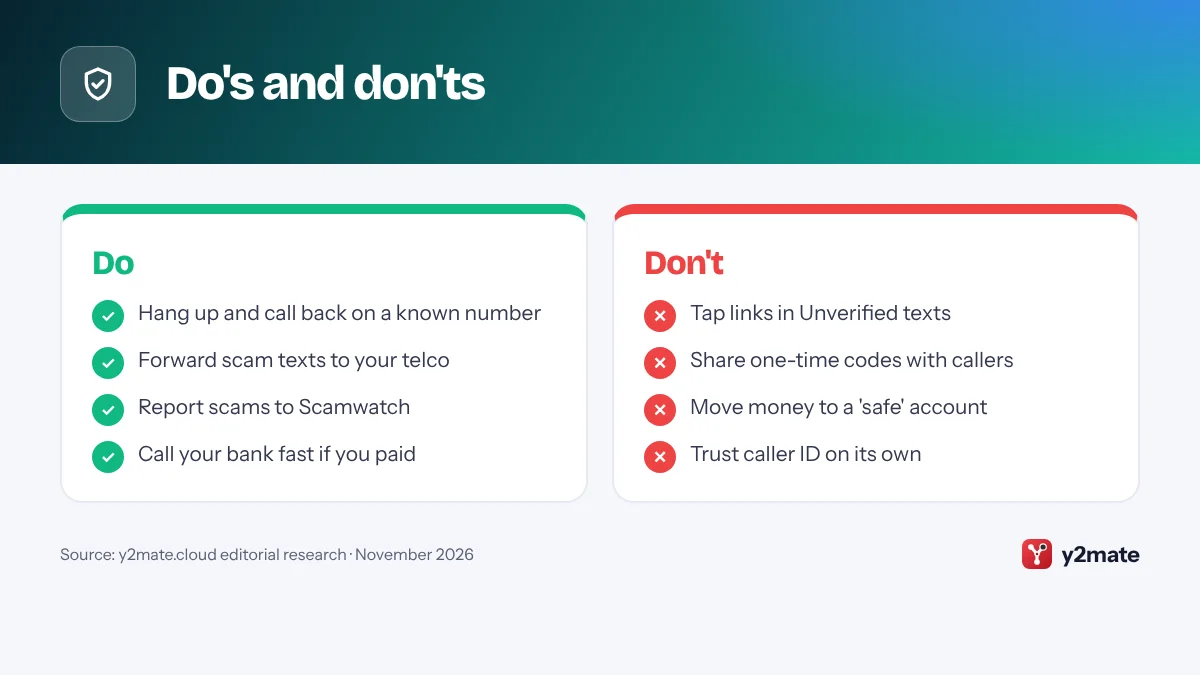
Do's and don'ts
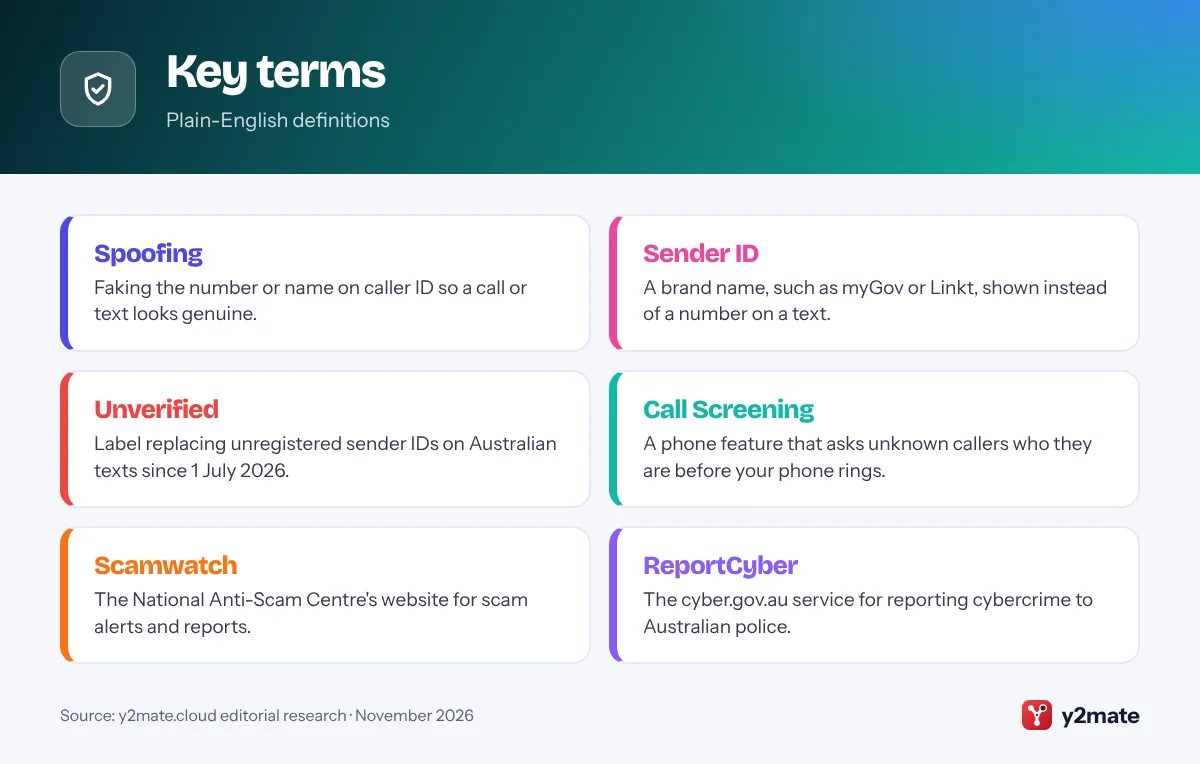
Key terms
Troubleshooting
Ask Reason for Calling does not appear on your iPhone
Update to iOS 26 or later in Settings > General > Software Update. Apple ties Call Screening to supported languages, including English (Australia), so check your iPhone’s language and region settings. You can use Silence in the meantime.
Genuine calls are going to voicemail
Save numbers you need, such as your GP, pharmacy and school, to Contacts. If you chose Silence, try Ask Reason for Calling so real callers can explain themselves, and check your voicemail regularly.
A real business’s texts show as Unverified
The business may not have registered its sender ID yet. Do not tap the link. Log in through the organisation’s official app or website, or call it on a number you trust, and let it know.
Scam texts keep arriving from different numbers
Scammers change and spoof numbers, so blocking them one at a time has limits. Turn on Screen Unknown Senders or Google Messages spam protection, report each text to your telco and check that your provider’s scam filter is switched on.
Frequently asked questions
How do I block scam calls in Australia?
On an iPhone, go to Settings > Apps > Phone and choose Ask Reason for Calling or Silence under Screen Unknown Callers. On Android, turn on caller ID and spam protection, or Call Screen on a Pixel. Then check your telco's scam filters, block numbers that still get through and report scams to Scamwatch and your provider.
Does the Do Not Call Register stop scam calls?
No. The Do Not Call Register is free and permanent, and it reduces telemarketing calls from legitimate Australian businesses, but scammers ignore it. Some organisations, such as registered charities and political parties, can also still call. To cut scam calls, use your phone's screening settings and your telco's scam protection, and hang up on anyone asking for personal or financial details.
What does 'Unverified' mean on a text message in Australia?
Since 1 July 2026, texts that show a brand name as the sender, such as a bank or delivery company, must use a sender ID registered on the ACMA's SMS Sender ID Register. If the name is not registered, it is replaced with 'Unverified' and grouped in one thread. Treat these texts with extra caution and do not tap their links or share personal details.
Where do I report a scam call or text in Australia?
Report it to Scamwatch at scamwatch.gov.au, run by the National Anti-Scam Centre. Telstra customers can also forward scam texts to 7226, and Optus customers can use ScamWise in the My Optus app. If you lost money or personal information, contact your bank first, then report the cybercrime to police through ReportCyber at cyber.gov.au.
What should I do if I clicked a link in a scam text?
Do not enter any more details. If you typed in a password, change it from a trusted device and turn on multi-factor authentication. If you entered card or bank details, call your bank immediately. For a fake myGov link, call the Services Australia Scams and Identity Theft Helpdesk on 1800 941 126. IDCARE offers free identity support on 1800 595 160.
Wrapping up
Blocking scam calls and texts in Australia works best in layers: your phone screens unknown callers and senders, your telco filters and flags suspicious traffic, and you report what still gets through. Set up Steps 1 to 3 once, then rely on two habits: treat “Unverified” texts and unexpected calls with suspicion, and always call organisations back on a number you found yourself.
Scams change quickly, so check Scamwatch’s alerts now and then and share these steps with family members who are less confident with their phones. If something goes wrong, call your bank first, then report it.
Sources and further reading
- Scamwatch report form: The National Anti-Scam Centre's official form for reporting scam calls, texts, emails and websites, whether or not you lost money.
- ACMA on Unverified texts: The ACMA explains why texts from unregistered sender IDs show as 'Unverified' from 1 July 2026 and how to treat them.
- Help during a cybercrime: The Australian Signals Directorate's guide to reporting cybercrime through ReportCyber and getting help from the Australian Cyber Security Hotline.
- Do Not Call Register: The official register explains which calls registration stops, which organisations can still call and why it does not block scam calls.
- IDCARE identity support: Australia and New Zealand's national identity and cyber support service, which helps scam victims make a free plan to limit the damage.

Leave a Reply