
- To switch mobile network in the UK and keep your number, text PAC to 65075 and give the code you receive to your new provider.
- Your current provider must reply by text within one minute with a code that is valid for 30 days, plus key details such as any early termination charges.
- Once your new provider has your code, it must complete the switch within one working day, and your old provider cannot charge for any notice period after the switch date.
- Text STAC to 75075 instead if you want to leave your provider without keeping your number.
- For complaints raised since 8 April 2026, you can take an unresolved switching problem to a free Ofcom-approved ombudsman scheme after six weeks, or sooner with a deadlock letter.
Here is how to switch mobile network in the UK and keep your number: text PAC to 65075 from the phone you want to move, and your current provider will text back a Porting Authorisation Code within a minute. Give that code to your new network when you join, and it must complete the switch within one working day. If you do not need your old number, text STAC to 75075 instead.
These Text-to-Switch rules are set by Ofcom, the UK communications regulator, and apply whether you are leaving EE, O2, Vodafone, Three or a SIM-only brand such as giffgaff or Smarty. You do not need to call your old provider, and you cannot be charged for any notice period after your switch date.
This guide covers every step, plus eSIMs, sister brands, business accounts and delayed switches, for anyone in the UK on pay monthly, SIM-only or pay as you go.
Level: Beginner · Time needed: 20 minutes plus 1 working day
What you need
- The phone and SIM for the number you want to keep, able to send and receive texts
- Your login or app for your current provider, to check your contract and any device plan
- A phone that is unlocked, or time to ask your provider to unlock it
- A chosen new provider and plan, with coverage checked for your home and work postcodes
- For an eSIM: a compatible phone and a Wi-Fi connection to download the profile
- On a shared or business account: the account holder’s details or permission
Step 1: Check Your Contract, Exit Charges and Device Plan
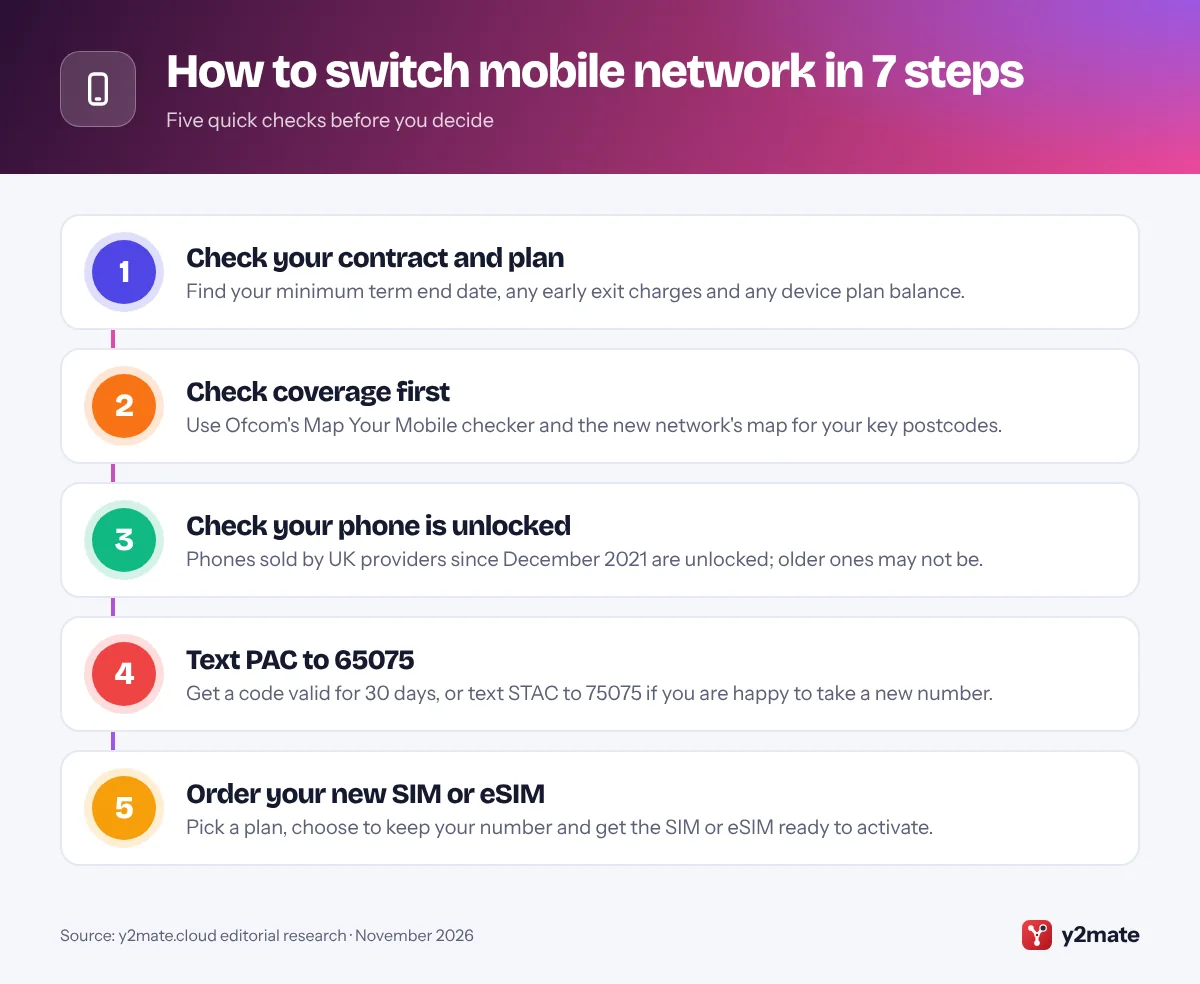
Log in to your current provider’s app or website and find your minimum term end date. Your provider must also send an end-of-contract notification between 10 and 40 days before that date.
Leaving before the end date usually means an early termination charge. To see it without requesting a code, text INFO to 85075, or read the figure in the reply to your PAC request.
Next, check whether your phone is on a separate device plan. Leaving the airtime contract does not always end the device agreement: depending on your provider and when you signed, you may keep paying monthly or need to clear the balance.
Finally, check price rises. Since 17 January 2025, Ofcom has required new contracts to set out mid-contract price rises in pounds and pence. If your provider raises prices in a way your contract did not spell out, it must give at least one month’s notice and let you leave without penalty.
Step 2: Check Coverage Before You Switch
A better plan is no use without signal, so check coverage at home, at work and on your commute.
- Use Ofcom’s Map Your Mobile checker, which compares the four UK networks by postcode.
- Check the new provider’s own coverage map for 5G and indoor detail.
- Ask neighbours or colleagues which network works well indoors.
SIM-only brands run on one of the big networks. giffgaff, Tesco Mobile and Sky Mobile use O2; iD Mobile and Smarty use Three; Lebara and VOXI use Vodafone; and BT Mobile uses EE. So moving from O2 to giffgaff keeps you on the same masts, while O2 to Smarty does not. Vodafone and Three are combining their networks under VodafoneThree, so check the latest map rather than relying on older experience.
If indoor signal is weak, confirm the new provider supports Wi-Fi calling on your phone. Our list of the Top 10 Mobile Networks in the UK shows which network each brand uses.
Step 3: Check Your Phone Is Unlocked
An unlocked phone works with a SIM from any UK network. Since December 2021, Ofcom’s rules have banned UK mobile providers from selling phones locked to their network, so a phone bought new from a UK provider after that date should already be unlocked.
Older handsets, phones bought abroad and some second-hand phones may still be locked. To check:
- iPhone: go to Settings, then General, then About, and look for the network provider or carrier lock line. No SIM restrictions means it is unlocked; the exact label can vary by iOS version.
- Android: menus differ by maker, so the simplest test is to try a SIM from a different network and make a call.
If your phone is locked, ask your current provider to unlock it before you switch, while you can still log in to your account. Terms vary by provider, so ask how long it takes and whether there is any charge.
Step 4: Text PAC to 65075 to Get Your Code
When you are ready, send a free text from the number you want to keep:
- To keep your number: text
PACto65075. - To leave without your number: text
STACto75075.
Under Ofcom’s rules, your provider must reply by text within one minute with:
- Your PAC (Porting Authorisation Code) or STAC (Service Termination Authorisation Code)
- How long the code is valid, which is 30 days
- Key information such as any early termination charges, money still owed on a handset where that applies, and your pay as you go credit balance
You can also ask by phone or through your online account. On a call, the provider must give you the code straight away or text it within two hours.
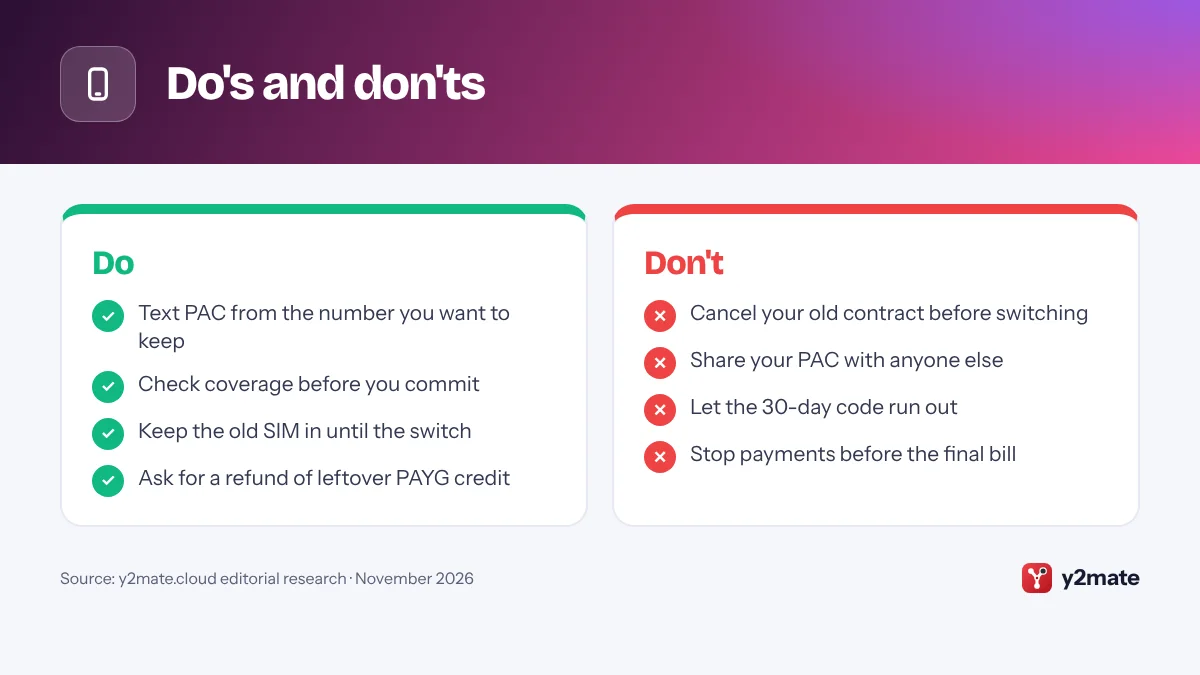
Requesting a code cancels nothing. Your contract ends when the new provider uses the code, so do not cancel your old contract first, or you risk losing your number. If the code expires, text again for a new one.
Step 5: Order Your New SIM or eSIM
Now choose your new plan. Check the contract length, any price rises set out in pounds and pence, roaming terms and whether eSIM and Wi-Fi calling work on your phone.
When you order, choose the option to keep your existing number. Some providers take your PAC at checkout; others ask for it during activation or in their app.
- Physical SIM: usually posted to you or collected from a shop. Keep it safe until you activate it.
- eSIM: a digital SIM downloaded to your phone, usually by scanning a QR code or through the provider’s app. Some brands offer it straight away online, while others may need a call, a shop visit or a physical SIM first.
Your new SIM may get a temporary number when you first activate it. That is normal: your old number replaces it once the switch completes, so do not give the temporary number to your contacts.
Step 6: Hand Over Your PAC and Complete the Switch
Give your PAC and the number you are moving to the new provider. Double-check both, because a single wrong character can stop the switch. The new provider then moves your number, a process called porting, and must complete it within one working day of having your code. If you want a particular date, ask, as some providers let you schedule the switch while the code is valid.
On switch day:
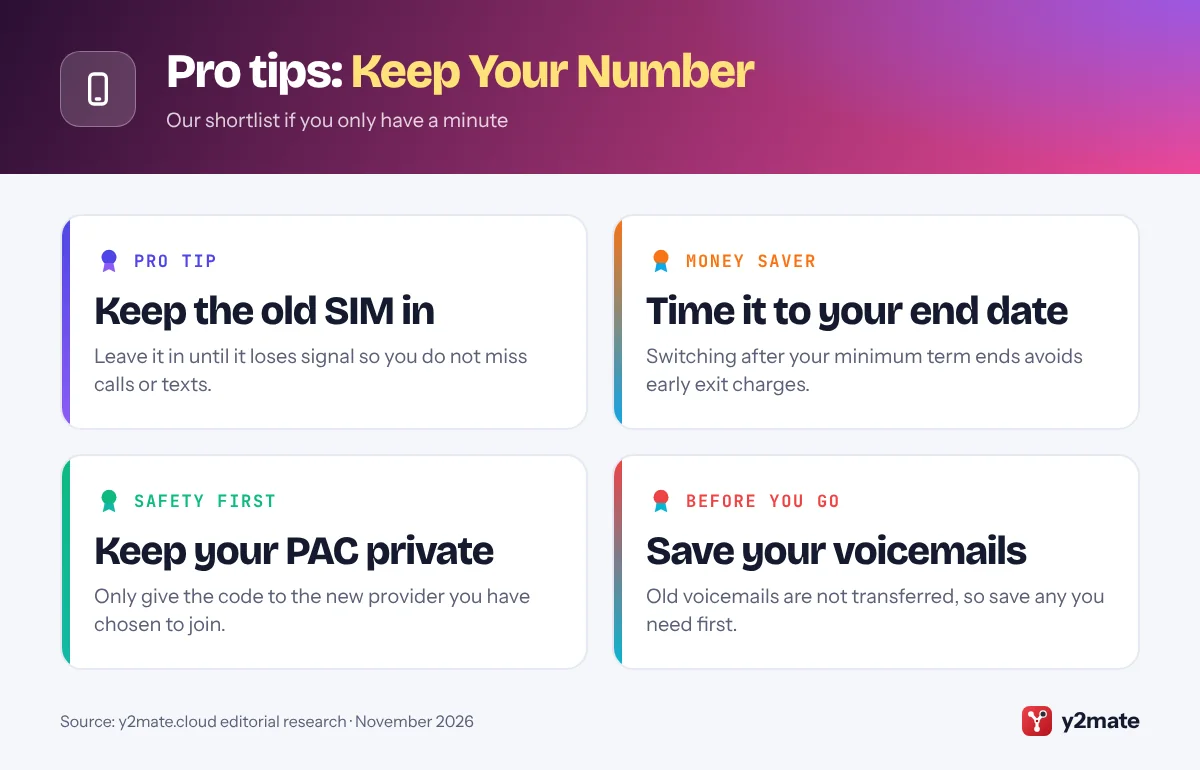
- Keep your old SIM in the phone until it loses service, so you do not miss calls or texts.
- When it shows no signal, or the new provider confirms the move, insert the new SIM or switch to the eSIM.
- Restart the phone, make a test call, send a text and check mobile data works.
- Expect a short gap in service while the number moves across.
Your old provider cannot charge you for any notice period after the switch date. Banking apps that send security codes by text may ask you to verify again after a SIM change.
Step 7: Check the Old Service Has Ended
A day or two after the switch, tidy up the loose ends.
- Confirm the switch: calls, texts and data should work, and people calling your number should reach you.
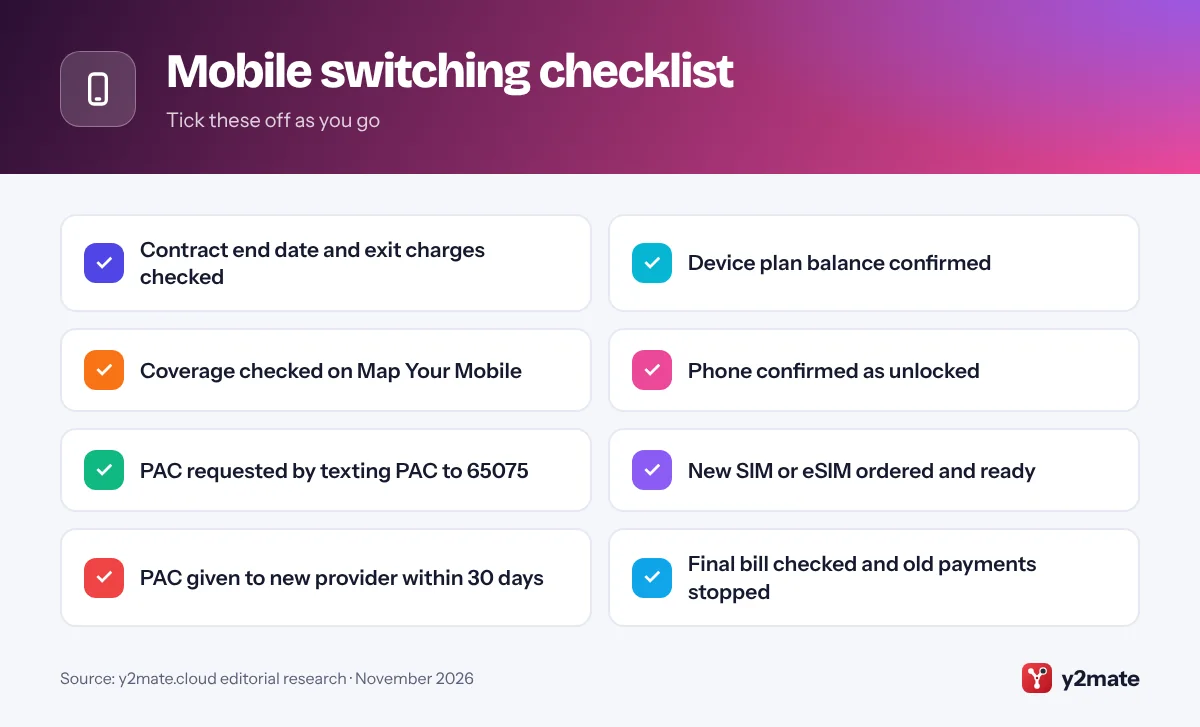
- Check the final bill: it should cover use up to the switch date, plus any early termination charges you were told about.
- Check device payments: confirm how any remaining device plan balance will be paid.
- Stop old payments last: cancel the direct debit only after the final bill is paid.
- Claim pay as you go credit: credit does not move with your number. Ofcom’s rules require providers to refund remaining credit on request, though your terms may allow a fee.
Then set up your voicemail on the new network and delete any old eSIM profile. If you are billed for service after the switch date, raise it with your old provider straight away.
How to Switch Mobile Network in the UK on an eSIM
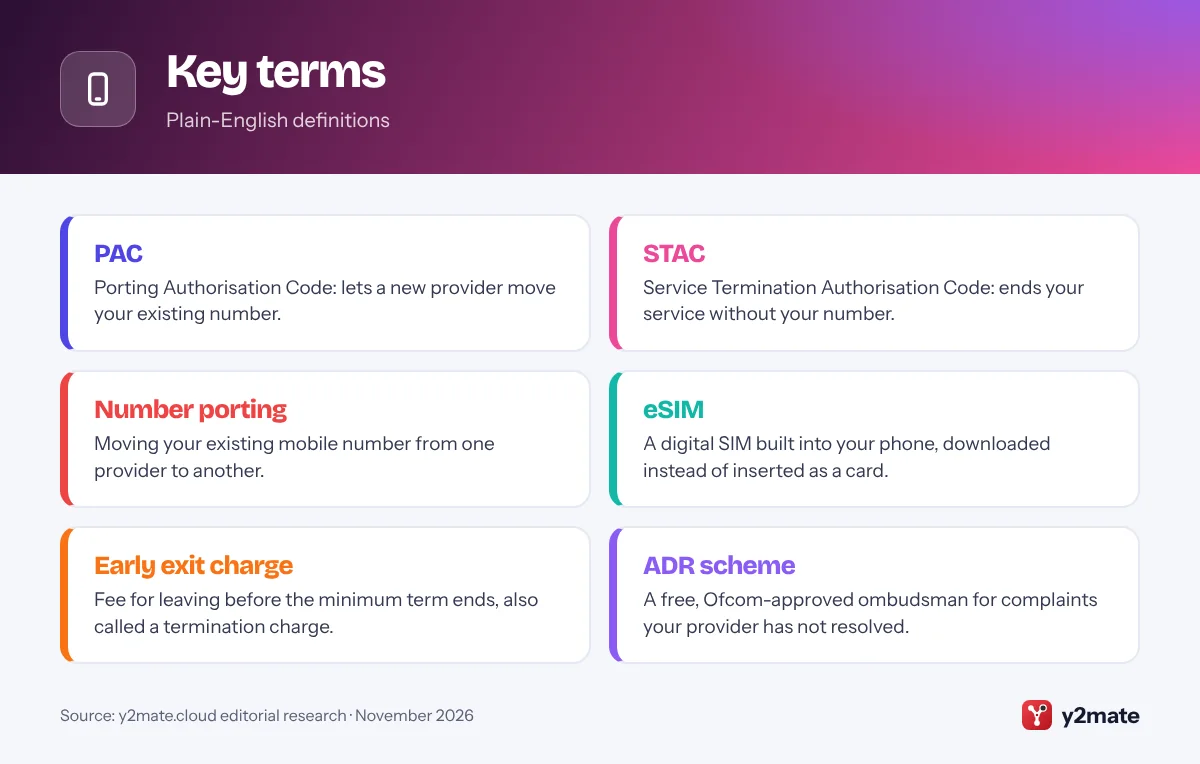
An eSIM is a SIM built into your phone that you activate by downloading a profile instead of inserting a card. Text-to-Switch works the same way; only the set-up differs.
- Check that your phone supports eSIM and is unlocked.
- Order an eSIM from the new provider and download it, usually by scanning a QR code or through its app while connected to Wi-Fi.
- Enter your PAC when asked. Depending on the provider, this happens at checkout, during activation or once the eSIM works on a temporary number.
- Keep your old line active until the switch completes, then set the new eSIM as your main line for calls, texts and data.
- Once everything works, remove the old eSIM profile in your phone’s mobile settings.
Do not delete your old eSIM before you have your PAC, because you need it to text 65075. If you have lost access, ask for the code by phone or online. Keep the eSIM QR code private.
Switching Between Sister Brands: EE, O2 and VodafoneThree
Many UK mobile brands share an owner. EE and BT Mobile belong to BT Group; O2 and giffgaff belong to Virgin Media O2, which also co-owns Tesco Mobile; and Vodafone, Three, VOXI and Smarty are part of VodafoneThree, formed when Vodafone UK and Three UK merged in 2025.
Sister brands are usually separate providers for switching purposes, so in most cases you still text PAC to 65075 and give the code to the new brand. Moving from EE to BT Mobile, O2 to giffgaff or Three to Vodafone normally works this way.
A few brands treat moves within the group as an internal transfer that needs no PAC, and processes can change as merged companies combine their systems. Check the new brand’s help pages or ask its support team which route it uses, and do not cancel your old plan until it confirms your number has moved.
Staying on the same network keeps coverage much the same, but plans, eSIM support, roaming and customer service can still differ.
Business Accounts and Multiple Numbers
Text-to-Switch is designed for single numbers. If your number is one of several on an account, such as a family plan or a business account, the text route may not work, and only the main account holder can request codes.
- Two to 24 numbers: Ofcom’s guidance says the account holder requests the codes online or by phone rather than by text.
- One number from a shared account: moving it may change the plan or price for the numbers left behind, so ask first.
- Larger business accounts: often handled by the provider’s business team, with timescales and notice terms that can depend on your contract.
If you manage numbers for a business, list each number, its user and its contract end date before you start. Switch in a planned order, tell staff when their number will move, and check that services relying on those numbers, such as two-step login codes, still work afterwards.
If Your Switch Is Delayed: Complaints, Compensation and the Ombudsman
If your number has not moved within one working day of the new provider receiving your code, act quickly and keep a record of every contact.
- Contact the new provider first. It manages the switch, so ask it to check the PAC, the number and the booked date.
- Make a formal complaint to whichever provider is at fault, following its complaints code, and keep reference numbers and emails.
- Ask about compensation. Ofcom’s rules say a provider that delays a switch beyond one working day must pay reasonable compensation and explain how to claim it. Ofcom’s automatic compensation scheme covers broadband and landline problems rather than mobile switches, so you may need to ask.
- Go to the ombudsman. For complaints raised since 8 April 2026, if the problem is not resolved within six weeks, or you get a deadlock letter, you can use a free Ofcom-approved alternative dispute resolution (ADR) scheme: the Communications Ombudsman or CISAS. Your provider’s complaints code says which one it belongs to.
Ofcom does not resolve individual complaints, but you can report problems to it.
Do's and don'ts
Key terms
Troubleshooting
You did not get a reply to your PAC text
Check that you texted just the word PAC to 65075 from the number you want to keep, with signal. Numbers on business or multi-number accounts may not be able to use the text route, so ask by phone or online instead.
The new provider says your PAC is invalid
The code may have expired after 30 days, been mistyped or been paired with the wrong phone number. If it has expired, text PAC to 65075 again for a new code.
Your number has not moved after one working day
Keep the old SIM in and contact your new provider to check the booked switch date. If the switch is overdue, make a formal complaint and ask about compensation for the delay.
Your old provider is still charging you
Your old provider cannot charge for any notice period after the switch date. Compare the final bill with your switch date, and complain if you are billed for service you no longer receive.
Frequently asked questions
How do I switch mobile network in the UK and keep my number?
Text PAC to 65075 from the phone you want to keep. Your current provider must reply within one minute with a Porting Authorisation Code, valid for 30 days, plus details of any early termination charges. Give the code to your new provider, and it must complete the switch within one working day. Your old contract then ends automatically.
What is the difference between a PAC and a STAC?
A PAC, or Porting Authorisation Code, moves your existing mobile number to a new provider; text PAC to 65075 to get one. A STAC, or Service Termination Authorisation Code, ends your service without keeping the number; text STAC to 75075. Either way, you give the code to your new provider, and it is valid for 30 days.
Will I have to pay to leave my mobile contract early?
If you leave before your minimum term ends, you will usually pay an early termination charge, and any balance on a separate device plan may still be due. The reply to your PAC or STAC text must tell you about early termination charges. Your old provider cannot charge for any notice period after the switch date.
Can I switch mobile network with an eSIM?
Yes. The process is the same: text PAC to 65075 from your current number, order an eSIM from the new provider and give it the code. You usually download the eSIM by scanning a QR code or through the provider's app. Keep your old line active until the switch completes, and check first that your phone supports eSIM and is unlocked.
What can I do if my mobile switch goes wrong?
Contact your new provider first, because it manages the switch, then make a formal complaint to whichever provider caused the problem. Providers must pay reasonable compensation if a switch is delayed beyond one working day. For complaints raised since 8 April 2026, you can go to the free Communications Ombudsman or CISAS after six weeks, or sooner with a deadlock letter.
Wrapping up
Knowing how to switch mobile network in the UK saves time and stress: check your contract, exit charges and device plan, confirm coverage with Map Your Mobile, make sure your phone is unlocked, then text PAC to 65075. Your new provider must move your number within one working day, with no notice charges from your old provider after the switch date. If anything goes wrong, complain first, then use the free ombudsman route.
Still choosing where to go? Our list of the Top 10 Mobile Networks in the UK explains which network each brand uses and who it suits.
Sources and further reading
- Ofcom: switching mobile provider: Ofcom's official guide to Text-to-Switch, explaining PAC and STAC codes, how long they last and how quickly your switch must happen.
- Ofcom Map Your Mobile: Ofcom's postcode checker for comparing mobile coverage and performance from the UK's networks before you switch.
- Ofcom on faster complaint resolution: Ofcom explains the six-week wait, from 8 April 2026, before you can take an unresolved complaint to an approved ombudsman scheme.
- Ofcom on telecoms price rises: Ofcom sets out your rights when your phone or broadband provider raises prices, including the pounds and pence rule for new contracts.
- Citizens Advice on switching: Citizens Advice explains how to switch phone, broadband or TV provider, including the free texts for getting PAC and STAC codes.

Leave a Reply